 Polytoolhub
What is Pigeon?
Pigeon is a multi-asset assistant with Polymarket among its integrations. It combines research, portfolio views, bridging and trade requests in chat. Pigeon Code adds a separate automation workflow: describe a script or recurring task and inspect what it will do before using it with an account.
Who it is for
- Users researching markets conversationally
- Traders coordinating supported accounts in one chat
- Developers exploring custom scheduled workflows
Features and coverage
- Available on
- Telegram, Web, MCP, API
- Markets & venues
- Polymarket, Multi-chain crypto, Other asset venues
- Polymarket integration
Research and request supported prediction-market actions.
- Telegram and web
Use the official bot or browser chat.
- Portfolio view
Inspect supported wallets together.
- Cross-chain routing
Request bridging across supported networks.
- Research assistant
Investigate events, assets and people relevant to a question.
- Pigeon Code
Draft bots, scripts or analytical tools from a prompt.
- Scheduled tasks
Build recurring research, alerts and strategy checks.
- Developer access
The provider advertises API and MCP interfaces.
Workflows with Pigeon
Research a contract
Ask for the exact question, rules and supporting evidence before discussing an order.
Build an alert
Specify the source, condition and schedule, then inspect the created task.
Prepare execution
Review the asset, venue, wallet, amount and confirmation separately from the conversation’s research.
Pricing and total cost
The public page does not provide a complete subscription or per-venue fee schedule. Check the account and action quote for the workflow you use.
Getting started
Before you start: Multi-asset leverage claims do not establish leveraged Polymarket contracts.
- Open the official Telegram bot or web chat.
- Start with a research request.
- Review account and wallet setup.
- Choose the exact venue and instrument.
- Inspect generated scripts or task settings before enabling automation.
Useful links
What to check
- Multi-asset leverage claims do not establish leveraged Polymarket contracts.
- Channel availability and supported actions can differ.
- A generated script needs its own review; a natural-language request alone is not a description of every action it will take.
A closer look
Ratings & reviews
User reviews 0
The main score switches to user ratings after 5 published reviews.
A specific example helps the next person choose the right tool.
Write a review
How was your experience with Pigeon?
Share what you used, what worked and what could be better. We confirm your email and review the submission before publishing.
To submit a review, email info@polytradingbot.com with the tool name, your rating and your experience. Enable JavaScript to prepare a draft here.
Related tools
Browse category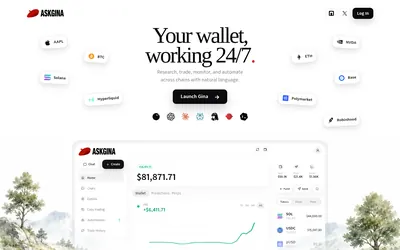

Research Polymarket, place orders and run scheduled wallet automations through a conversational agent or a connected AI client.
- Access Web · MCP
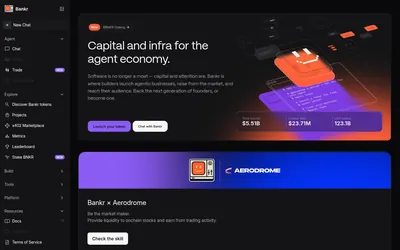

Search Polymarket and manage orders, shares and redemptions through a conversational agent available in Telegram, web and developer interfaces.
- Access Web · Telegram · API · CLI
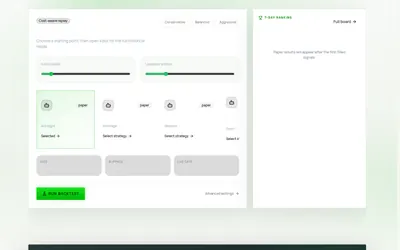

Draft prediction-market strategies in plain language, review their configuration and test costs, sizing and limits before activation.
- Trading mode Paper · Live automation
- Access Web
Frequently asked questions about Pigeon
Can I use Telegram?
Yes, through pigeon_trade_bot.
Is it only for Polymarket?
No, it spans multiple asset venues.
Can it help write automations?
Pigeon Code is advertised for scripts and scheduled tasks.