 Polytoolhub

What is AntFlow?
AntFlow presents a hosted Polymarket trading workspace with market discovery, manual order controls, position accounting and optional strategy automation. It is a consumer application rather than the similarly named operator’s Python client library. The documentation separates manual trading from paid automation and describes CPA, FHM, per-user dry-run mode and configurable risk controls. These are documented functions; no account, wallet or strategy engine was run in this review. Current access needs particular care: the landing page requests early access while public help pages describe onboarding. The source pages also require reconciliation on custody and native venue costs. The marketing page uses non-custodial language, but setup describes server-generated encrypted wallet keys and an export path. The fee page’s blanket zero-native-fee statement conflicts with Polymarket’s current category-specific fee information. Read those limits alongside the advertised plans and platform fee table. The visible terminal preview and P&L examples illustrate the provider’s presentation and do not establish live performance.
Who it is for
- Traders evaluating a hosted order and position workspace
- Researchers checking automation controls, fee layers and custody before onboarding
Features and coverage
- Available on
- Web
- Markets & venues
- Polymarket
- Research topics
- Order workflows, Automation controls, Position accounting
- Documented manual desk
The product describes market search, linked buy-pair orders, partial reduction, position accounting and order lifecycle controls.
- Optional automation
The help pages distinguish CPA and FHM strategies, configuration limits and paid automation from manual trading. Provider performance claims were not independently verified.
- Simulation workflow
Getting Started documents per-user dry-run mode for automation and a separate switch to live execution. No simulated or live engine was run.
- Fee and risk views
Documentation describes itemized fill fees, slippage, exposure limits and a circuit breaker. Displayed marketing P&L is illustrative interface material.
Workflows with AntFlow
Evaluate manual versus automated access
Read the current access notice, account prerequisites and plan differences together. Distinguish the documented manual desk from paid automation and confirm entitlement before any onboarding.
Review a simulation configuration
Read the dry-run description, strategy limits and stop controls. Preserve the documented separation between simulated fills and live orders when evaluating the product; this review did not run either mode.
Reconcile the cost layers
Compare the platform tier fee, the selected market’s venue fee and execution slippage separately. The application’s zero-native-fee statement is not a substitute for the venue’s own current fee information.
Pricing and total cost
Published pages advertise Free at $0 and Pro at $100/month, with early-access/founding terms requiring confirmation. The AntFlow platform fee table lists 1% maker and 2% taker per fill for Free, and 0% AntFlow fees for founding/active paid members. These are platform fees rather than the entire execution cost. The help page’s blanket claim of zero native Polymarket fees conflicts with the venue’s current category-specific fee page; no all-in zero-fee claim is adopted.
Free
$0 advertised; 1% maker / 2% taker AntFlow fee per fill
- Documented market browsing and manual desk
- Access and execution not independently verified
Pro
$100/month advertised; checkout and founding terms not verified
- Documented AI discovery and automation
- 0% AntFlow platform fee for active paid members, according to its fee page
Access: The landing page requests early access, while app documentation is publicly readable. Account creation, current trading entitlement, custody and live execution were not tested.
Getting started
- Check the current early-access notice and read the official account and wallet setup documentation.
- Review the separate Free/Pro entitlements, AntFlow fees and applicable Polymarket venue fees.
- Study the documented simulation mode, position limits and stop controls before any separately authorized account or trading evaluation.
Useful links
What to check
- The landing page requests early access, while app documentation is publicly readable. Account creation, current trading entitlement, custody and live execution were not tested.
- The native-zero-fee statement in AntFlow help conflicts with Polymarket’s current fee page; no claim of zero all-in trading cost is made.
- Landing-page custody language and the setup description require reconciliation. No key handling, deposit or signing flow was tested.
- Provider strategy, latency and P&L claims were not independently verified. Marketing UI examples are not account or execution evidence.
A closer look
Ratings & reviews
User reviews 0
The main score switches to user ratings after 5 published reviews.
A specific example helps the next person choose the right tool.
Related tools
Browse category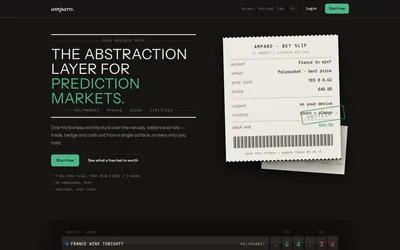

Compare supported prediction venues in one terminal, with local signing, bank-to-crypto funding workflows and modular software access.
- Trading mode Manual
- Access Web
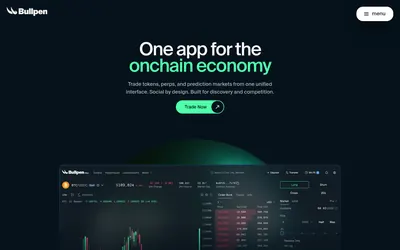

Trade Polymarket alongside tokens and perpetuals in one interface, with wallet management, public trader discovery and mobile access.
- Trading mode Manual
- Access Web
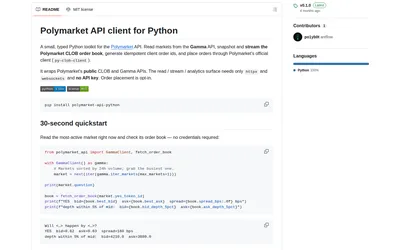
A compact typed Python client for Gamma discovery, computed order-book metrics and reconnecting CLOB streams, with trading as an optional extra.
- Language Python
Frequently asked questions about AntFlow
Can the full product be used immediately?
The current landing page requests early access. Public documentation can be read, but current trading entitlement and account onboarding were not verified.
Does zero AntFlow platform fee mean zero total cost?
No. Its fee table concerns the AntFlow platform layer. Polymarket’s current fee page lists category-specific venue fees; spread, slippage and other applicable costs must be considered separately.
Is its custody model verified as non-custodial?
No. The landing page uses non-custodial language, while setup documentation describes a generated deposit wallet, encrypted server-side key handling and export. Custody and signing behavior were not tested.
Were the advertised P&L or automated strategies tested?
No. The reviewed material consists of public product pages and documentation. Marketing terminal examples are not independent evidence of strategy returns.