 Polytoolhub
What is polymarket-api-python?
This antflow-maintained package focuses on reusable API plumbing. Its base installation reads markets and books without trading credentials, calculates useful spread and depth metrics and handles live-feed reconnection. Order signing and placement are opt-in through a wrapper around Polymarket’s trading client.
Who it is for
- Python developers wanting a small research client
- Applications monitoring spread and depth
- Teams separating read-only dependencies from trading support
Features and coverage
- Available on
- Python, PyPI
- Markets & venues
- Polymarket
- Gamma reader
Paginates market listings and decodes JSON-string outcome and token fields.
- Computed book metrics
Read best bid/ask, midpoint, spread in basis points, depth within 5% and total resting liquidity.
- Resilient streaming
The WebSocket client handles reconnects, heartbeat and stale-feed monitoring.
- Client order IDs
Generate deterministic identifiers for retry-aware order workflows.
- Optional trading extra
Add the signing/placement wrapper only when needed.
- Task-oriented cookbook
Recipes cover market reads, books, cancellation, authentication and resolution.
Workflows with polymarket-api-python
Monitor market liquidity
Find a market through Gamma, fetch its YES or NO book and record spread and depth at a consistent interval.
Build a stream consumer
Subscribe to selected token IDs, handle typed price events and use the watchdog/reconnect behavior to maintain the feed.
Add order support separately
Install the trading extra and implement the desired placement and cancellation path after the read workflow is established.
Pricing and total cost
MIT-licensed package. Public read functions need no API key; venue and operating costs apply separately to trading.
Getting started
Before you start: The trading wrapper depends on the upstream client and its current protocol compatibility.
- Install polymarket-api-python.
- Use GammaClient to find a market.
- Fetch an OrderBookSnapshot for the relevant token.
- Use the WebSocket client for ongoing updates.
- Install the trading extra only if your application needs order actions.
Useful links
What to check
- The trading wrapper depends on the upstream client and its current protocol compatibility.
- Deterministic client IDs help retry handling but do not replace reconciliation of actual order state.
- Market identifiers and outcome token IDs serve different functions.
A closer look
Ratings & reviews
User reviews 0
The main score switches to user ratings after 5 published reviews.
A specific example helps the next person choose the right tool.
Write a review
How was your experience with polymarket-api-python?
Share what you used, what worked and what could be better. We confirm your email and review the submission before publishing.
To submit a review, email info@polytradingbot.com with the tool name, your rating and your experience. Enable JavaScript to prepare a draft here.
Related tools
Browse category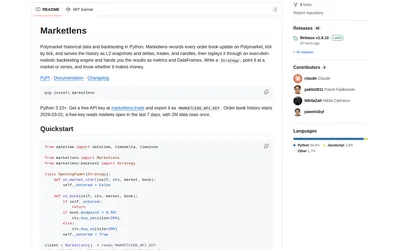

Retrieve historical Polymarket books and run either tick-level execution simulations or faster bar-based signal backtests in Python.
- Language Python
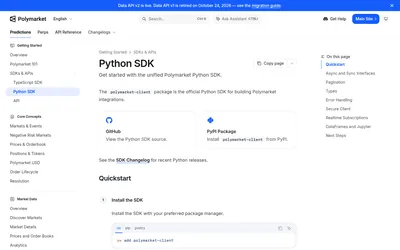

The official Python client for typed Polymarket data, sync or async account workflows, streaming and notebook-friendly analysis.
- Language Python
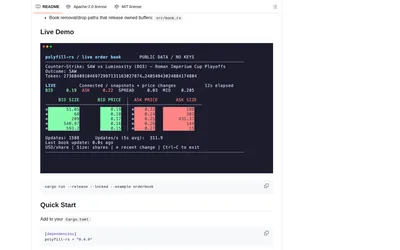
Integrate Polymarket in Rust with typed CLOB requests, optimized book processing and explicit V2 trading support.
- Language Rust
- Access API
Frequently asked questions about polymarket-api-python
Do I need trading credentials for book analytics?
No. The read, stream and analytics surface is credential-free.
What does the snapshot add to a raw ladder?
It computes spread, midpoint, depth and resting-liquidity metrics.
Is trading installed by default?
No. Order support is an optional extra.