 Polytoolhub
What is Bullpen?
Bullpen brings several markets into one app while retaining their different execution mechanics. Prediction orders route to Polymarket’s CLOB and settle through the user’s Polygon proxy wallet. The product also provides social discovery, positions and rankings. Its prediction-market documentation explains the distinction between resting orders, immediate fills, collateral reservations and eventual settlement.
Who it is for
- Users managing prediction markets and crypto positions together
- Traders who want a mobile-friendly terminal
- Users comparing public positions and leaderboard activity
Features and coverage
- Available on
- Web, Mobile web
- Markets & venues
- Polymarket, Hyperliquid, On-chain spot markets
- Research topics
- Unified trading, Order management
- Polymarket order routing
Submit prediction orders through Bullpen to the native CLOB.
- GTC, GTD and FOK orders
Choose resting-until-cancelled, time-expiring or immediately all-or-nothing execution according to the order flow.
- Book and price context
Inspect bid, ask, spread and available depth before placing a marketable order.
- Collateral accounting
Track the balance committed to outstanding orders separately from remaining buying power.
- Positions and settlement
Follow outcome shares from a fill through position management and resolution.
- Multi-wallet management
Manage supported SVM and EVM wallets in the wider app.
- Social discovery
Inspect public trader positions, follow accounts and compare leaderboard performance.
- Mobile workflow
Use a mobile-friendly interface with notifications synchronized to the browser session.
Workflows with Bullpen
Place a resting prediction order
Choose the exact outcome, inspect its book and submit a limit order with the intended lifetime. Monitor both the order and the collateral it reserves.
Use immediate execution deliberately
Compare a marketable order’s available depth with the requested size; use the documented all-or-nothing behavior when partial execution is unsuitable.
Research another trader
Review public positions and history from the social view, then inspect the relevant market directly before creating your own order.
Pricing and total cost
Prediction-market costs depend on the order and market. The integration guide describes venue taker fees and maker treatment; the order quote is the place to check the full execution cost. Fees for the app’s token and perpetual products are separate.
Getting started
Before you start: Polymarket positions in the documented integration are fully collateralized; the app’s perpetual leverage does not carry over to them.
- Open the Bullpen app and complete account creation.
- Set up the intended wallet and prediction-market collateral using the dedicated guide.
- Open a prediction event and select its outcome.
- Review bid, ask, depth and the order’s time-in-force.
- Submit the order and inspect its fill or resting state.
- Monitor reserved collateral, held shares and settlement separately.
Useful links
What to check
- Polymarket positions in the documented integration are fully collateralized; the app’s perpetual leverage does not carry over to them.
- Outstanding orders can reserve balance even before they fill.
- A displayed market probability can differ from the price available for the size you want to trade.
- Spot-market routing features such as Jupiter execution should not be assumed to apply to prediction orders.
A closer look
Ratings & reviews
User reviews 0
The main score switches to user ratings after 5 published reviews.
A specific example helps the next person choose the right tool.
Write a review
How was your experience with Bullpen?
Share what you used, what worked and what could be better. We confirm your email and review the submission before publishing.
To submit a review, email info@polytradingbot.com with the tool name, your rating and your experience. Enable JavaScript to prepare a draft here.
Related tools
Browse category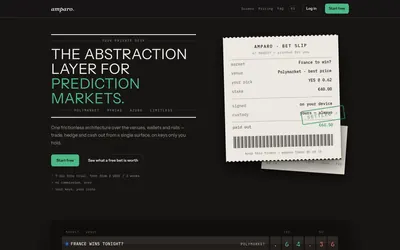

Compare supported prediction venues in one terminal, with local signing, bank-to-crypto funding workflows and modular software access.
- Trading mode Manual
- Access Web
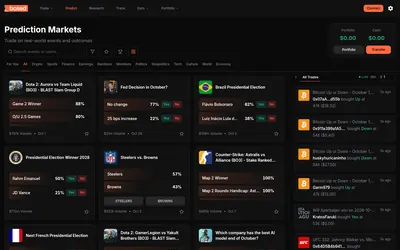
Trade Polymarket from a combined web and mobile app, with list, card and calendar discovery plus public trader analysis.
- Trading mode Manual
- Access Web · iOS · Android
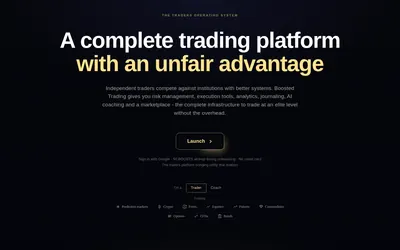

Trade Polymarket with configurable order-book panels, automatic journaling and risk rules that can block new buys after a limit is reached.
- Trading mode Manual
- Access Web
Frequently asked questions about Bullpen
Where do prediction orders execute?
Bullpen routes them to Polymarket’s CLOB, with on-chain settlement on Polygon.
Can I use perpetual leverage on a Polymarket position?
The documented prediction-market integration is fully collateralized.
Why is my available balance lower than my cash balance?
Outstanding orders can reserve collateral.
Does the app also support other markets?
Yes. Its wider product includes on-chain spot assets and Hyperliquid perpetuals.