 Polytoolhub
What is Based?
Based puts prediction markets alongside its perpetual and spot products. Its dedicated prediction interface offers several ways to find a contract: a detailed table, visual outcome cards and a calendar organized by event dates. Trader pages add portfolio value, PnL history and positions so you can investigate who is active in a market before entering your own order.
Who it is for
- Users who want prediction markets and crypto trading in one app
- Traders organizing research by event date
- Users comparing public trader portfolios and realized activity
Features and coverage
- Available on
- Web, iOS, Android
- Markets & venues
- Polymarket, Hyperliquid
- Research topics
- Market calendar, Trader analysis
- List view
Compare probability, volume, daily price change, liquidity and closing time in a table.
- Card view
Browse top outcomes visually with direct Yes/No entry points.
- Calendar view
Plan research around the date of the underlying event.
- Advanced filters
Narrow the list by status, volume, liquidity, dates and sort order.
- Top-trader rankings
Compare traders by profit and volume, then open their records.
- Trader analysis
Inspect portfolio value, biggest win, total trades, the PnL chart and active or closed positions.
- Prediction portfolio
Track cash and positions within the dedicated prediction interface.
- Mobile prediction trading
Browse markets, inspect an event chart and trade outcome contracts in the mobile app.
Workflows with Based
Plan an event-driven session
Open Calendar, choose the relevant date and filter for the category and liquidity you need. Inspect the precise question before using its Yes/No controls.
Compare market conditions
Use the list view to compare volume, spread-related context and closing time, then open the chosen event’s order book.
Investigate a top trader
Move from the ranking into the portfolio page and compare active exposure with closed-position performance.
Pricing and total cost
The prediction-market guide states that Based adds a 1% transaction fee on top of applicable Polymarket trading fees.
Fees and usage costs
- Based prediction-market charge: an additional 1% per transaction, as listed in the dedicated guide.
- Venue fees are separate; inspect the complete quote in the prediction order flow.
Access: The prominently displayed perpetual and spot fee tables describe different markets.
Getting started
Before you start: Perpetual leverage and fee tiers do not automatically apply to prediction contracts.
- Open the dedicated Predict page or prediction section in the mobile app.
- Choose list, card or calendar view.
- Apply status, liquidity, volume or date filters.
- Connect or create the app account and use its prediction funding flow.
- Review the exact outcome, amount and full fee before placing an order.
- Monitor the prediction portfolio and any outstanding orders.
Useful links
What to check
- Perpetual leverage and fee tiers do not automatically apply to prediction contracts.
- The documented Telegram bot focuses on Hyperliquid; the verified prediction surfaces are web and mobile.
- The prediction guide includes a venue-fee example, but the live quote is needed for the chosen market and side.
A closer look
Ratings & reviews
User reviews 0
The main score switches to user ratings after 5 published reviews.
A specific example helps the next person choose the right tool.
Write a review
How was your experience with Based?
Share what you used, what worked and what could be better. We confirm your email and review the submission before publishing.
To submit a review, email info@polytradingbot.com with the tool name, your rating and your experience. Enable JavaScript to prepare a draft here.
Related tools
Browse category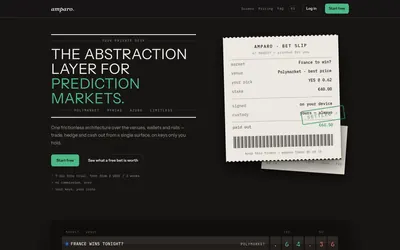

Compare supported prediction venues in one terminal, with local signing, bank-to-crypto funding workflows and modular software access.
- Trading mode Manual
- Access Web
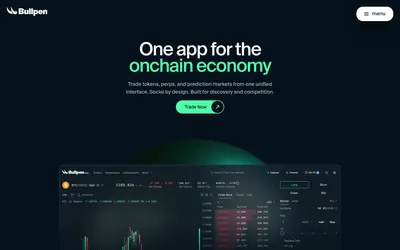

Trade Polymarket alongside tokens and perpetuals in one interface, with wallet management, public trader discovery and mobile access.
- Trading mode Manual
- Access Web
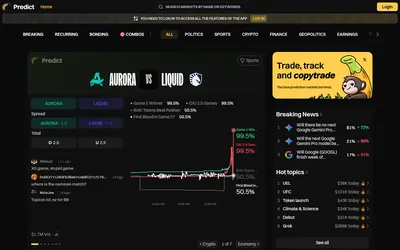

Browse prediction markets with breaking-news, recurring-event and bonding views, then continue into wallet tracking, rankings and copy trading.
- Access Web
Frequently asked questions about Based
Does Based have a prediction-market calendar?
Yes. Its guide shows a calendar view organized by event dates.
Can I inspect another trader’s positions?
Trader analysis includes active and closed positions alongside a PnL chart.
Does it work on mobile?
The dedicated guide documents prediction markets in the mobile app.
Which fee schedule should I use?
Use the prediction-market quote and guide, not the separate spot or perpetual table.