 Polytoolhub
What is Banana Predict?
Banana Predict is the prediction-market interface from Banana Gun. The public home groups events by topic and trading context rather than presenting only a long list of questions. You can switch between breaking events, recurring markets and bonding-oriented discovery, inspect volume and outcome choices, and use the account areas for portfolio and trader workflows.
Who it is for
- Traders who want topic and event-style filters in one browser
- Users researching wallets before entering the copy workflow
- Readers moving between market news and event discovery
Features and coverage
- Available on
- Web
- Markets & venues
- Polymarket
- Research topics
- Market discovery, Wallet tracking
- Event-style navigation
Separate breaking, recurring, bonding and combo discovery views.
- Broad topic filters
Browse politics, sports, crypto, finance, geopolitics, earnings, technology and other categories.
- Trending and new lists
Choose established activity or newly listed questions.
- Volume-oriented discovery
Compare event volume while reviewing multi-outcome cards.
- Hot topics
Jump into active themes without composing a search query.
- Wallet tracking and rankings
Use the dedicated tracker and leaderboard areas to research public traders.
- Portfolio and copy workflow
Continue into account-based portfolio and copy-trading areas.
- News area
Keep market discovery close to the product’s news surface.
Workflows with Banana Predict
Find a recurring event
Open Recurring, choose the relevant topic and inspect the event’s outcome options. Confirm the specific round before moving to order entry.
Compare active themes
Use Hot Topics and the volume-sorted list to find where activity is concentrated, then inspect the individual questions.
Investigate a wallet
Open Wallet Tracker or Leaderboard, review the trader record available there and use the separate copy workflow if it fits your intended setup.
Pricing and total cost
The public market browser is accessible before login. The reviewed entry page does not publish a complete execution-fee or subscription schedule.
Getting started
Before you start: The app explicitly requires login for full functionality.
- Open Banana Predict and choose an event style or topic.
- Use Trending, New and the available filters to narrow the list.
- Open the exact market and inspect its outcome choices.
- Log in to access the account-dependent features.
- Review charges and copy parameters in the relevant account flow before submitting an order.
Useful links
What to check
- The app explicitly requires login for full functionality.
- A multi-outcome event card can contain many separate contracts; select the intended outcome and round.
- The public home does not expose the full set of copy sizing, exit and fee controls.
A closer look
Ratings & reviews
User reviews 0
The main score switches to user ratings after 5 published reviews.
A specific example helps the next person choose the right tool.
Write a review
How was your experience with Banana Predict?
Share what you used, what worked and what could be better. We confirm your email and review the submission before publishing.
To submit a review, email info@polytradingbot.com with the tool name, your rating and your experience. Enable JavaScript to prepare a draft here.
Related tools
Browse category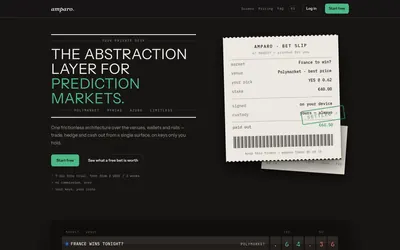

Compare supported prediction venues in one terminal, with local signing, bank-to-crypto funding workflows and modular software access.
- Trading mode Manual
- Access Web
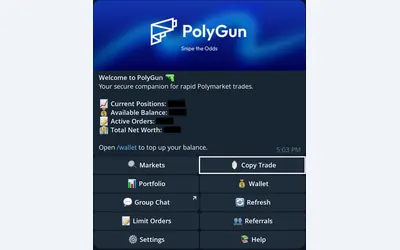

Trade Polymarket in Telegram, copy wallets with three sizing modes, manage TP/SL and automate crypto entries with AutoPilot.
- Trading mode Manual · Live automation
- Access Telegram
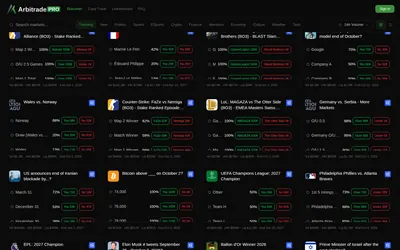

Browse Polymarket events, copy traders and configure six position-management automations, including trailing stops and break-even exits.
- Trading mode Manual · Live automation
- Access Web
Frequently asked questions about Banana Predict
Can I browse without an account?
Yes. The public home shows event categories, cards and volume.
What does the bonding view provide?
It is a dedicated discovery category in the app; inspect the chosen contract’s price and resolution terms before using it.
Does the interface include wallet research?
Yes. It provides Wallet Tracker and Leaderboard entry points.
Is this the same interface as Banana Gun’s token-trading bot?
This card covers the dedicated prediction-market app at predict.bananagun.io.