 Polytoolhub
What is Wallet V?
Wallet V combines wallet management and connections to several trading platforms. Its Polymarket section provides event-market access across sports, elections, crypto and other categories. The prominently advertised AI-agent workflow is documented under perpetuals, so its performance statistics and pair controls should not be mistaken for a demonstrated Polymarket bot.
Who it is for
- Mobile users accessing several on-chain venues
- Users managing swaps and funding in one wallet
- Traders who want prediction markets beside other account activity
Features and coverage
- Available on
- iOS, Android
- Markets & venues
- Polymarket, Hyperliquid, Aster, Multi-chain crypto
- Mobile wallet
Use official iOS or Android downloads.
- Polymarket access
Open event markets from the app.
- Multi-chain support
Manage supported Bitcoin, Solana and EVM-network assets.
- Swaps and bridging
Route supported conversions through integrated providers.
- Smart-money context
Inspect the advertised flow-tracking views.
- Separate AI perpetuals
Choose model, pairs, prompt and risk limits in the perpetuals workflow.
- Account activity
Review supported positions and wallet operations.
- Built-in model access
The provider says its supported AI integrations do not require a separate model subscription.
Workflows with Wallet V
Open a prediction market
Select Polymarket, identify the exact account and review the contract and quote.
Prepare funding
Check the destination network and bridge route before transferring.
Use AI perpetuals separately
Configure pairs and loss limits in the relevant product, without assuming those controls apply to prediction contracts.
Pricing and total cost
The app is available through official stores. A complete Polymarket fee schedule is not shown on the product page; costs depend on the selected action and connected venue.
Getting started
Before you start: Published AI performance figures refer to Hyperliquid and Aster agents, not Polymarket.
- Install from an official store link.
- Create or import the intended wallet.
- Review backup and account setup.
- Open the Polymarket integration.
- Check network, contract and final order quote.
Useful links
What to check
- Published AI performance figures refer to Hyperliquid and Aster agents, not Polymarket.
- Self-custody means wallet recovery and signing remain part of the user workflow.
- Rewards points are separate from withdrawable trading balances.
A closer look
Ratings & reviews
User reviews 0
The main score switches to user ratings after 5 published reviews.
A specific example helps the next person choose the right tool.
Write a review
How was your experience with Wallet V?
Share what you used, what worked and what could be better. We confirm your email and review the submission before publishing.
To submit a review, email info@polytradingbot.com with the tool name, your rating and your experience. Enable JavaScript to prepare a draft here.
Related tools
Browse category
Trade Polymarket from a combined web and mobile app, with list, card and calendar discovery plus public trader analysis.
- Trading mode Manual
- Access Web · iOS · Android


Create prediction games with friends using virtual Cred, private groups and imported Polymarket odds for comparison.
- Access iOS · iPadOS
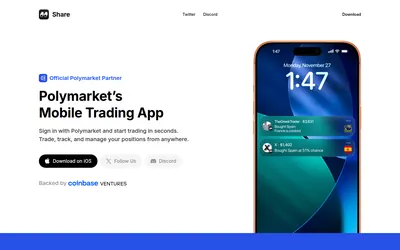

Access your Polymarket account on mobile, follow wallet activity and manage positions with charts, holder views and copy-trading discovery.
- Access iOS
Frequently asked questions about Wallet V
Does the app include Polymarket?
Yes, it has a dedicated integration.
Are the AI-agent results Polymarket results?
The displayed cohort is identified as Hyperliquid and Aster.
Which mobile systems?
iOS and Android.