 Polytoolhub
What is UnifAI?
UnifAI combines a strategy interface, reusable templates and an always-on execution layer. Prediction-market workflows are one part of a broader DeFi product that also includes liquidity and swap strategies. The useful unit to inspect is the individual strategy: its protocol, wallet, trigger, size rule and execution log.
Who it is for
- Users adapting documented automation templates
- Developers composing protocol actions
- Researchers monitoring an agent’s actual execution history
Features and coverage
- Available on
- Web, Agent runtime, SDK
- Markets & venues
- Polymarket, Opinion, Supported DeFi protocols
- Research topics
- DeFi agents, Strategy templates
- Strategy creation
Build a workflow through the product interface.
- Shared templates
Use a public strategy as a starting point rather than creating every condition from scratch.
- Agent runtime
Monitor conditions and execute configured protocol actions.
- Polymarket workflow
The documentation describes high-probability endgame monitoring with a trade-size cap.
- Execution records
Inspect positions, pending orders, timestamps and transaction hashes.
- Protocol tools
The platform presents a composable integration layer for DeFi actions.
- Developer SDK
Build custom integrations through the linked developer resources.
- Strategy copying
Use the product’s strategy-copy path while reviewing its parameters.
Workflows with UnifAI
Adapt a template
Read every trigger and sizing condition, then configure the intended wallet and protocol.
Audit a run
Compare dashboard records with the transaction hashes and the actual execution-wallet address.
Compare strategy costs
Use the fee table for the selected strategy type rather than applying a swap fee to all automation.
Pricing and total cost
The fee documentation lists a 0% UnifAI platform transaction fee for Polymarket strategies. Other strategy types differ: on-chain swaps list 0.5%, while Meteora strategies have separate swap and claimed-fee charges. Network and underlying protocol costs remain distinct.
Getting started
Before you start: A template’s advertised APY is not the same as an executed account return.
- Open the strategy interface and documentation.
- Choose a template matching the intended protocol.
- Inspect trigger, position-size cap and execution wallet.
- Review current funding and asset requirements in the app.
- Run a limited validation workflow.
- Reconcile logs with on-chain transactions.
Useful links
What to check
- A template’s advertised APY is not the same as an executed account return.
- Wallet/proxy differences can make an agent’s trades appear under a different address from a normal website login.
- The older strategy FAQ’s blanket zero-venue-fee statement should not be used as a current Polymarket fee schedule.
- Endgame positions can reverse before settlement and may lack an executable counterparty.
A closer look
Ratings & reviews
User reviews 0
The main score switches to user ratings after 5 published reviews.
A specific example helps the next person choose the right tool.
Write a review
How was your experience with UnifAI?
Share what you used, what worked and what could be better. We confirm your email and review the submission before publishing.
To submit a review, email info@polytradingbot.com with the tool name, your rating and your experience. Enable JavaScript to prepare a draft here.
Related tools
Browse category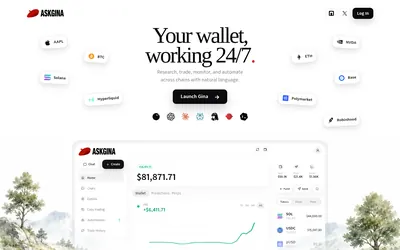

Research Polymarket, place orders and run scheduled wallet automations through a conversational agent or a connected AI client.
- Access Web · MCP
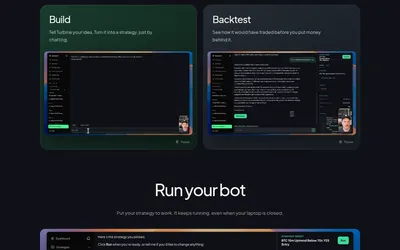

Describe a prediction-market strategy in chat, inspect a backtest and run a bot in a hosted environment.
- Trading mode Paper · Live automation
- Access Web · MCP
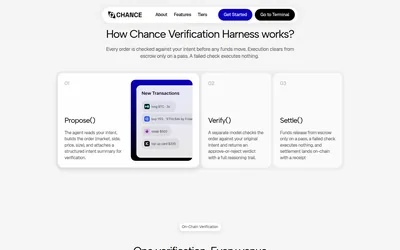

Check an AI agent’s proposed market, outcome, price and size against the original instruction before allowing an on-chain transaction to settle.
- Access Web · API · MCP
Frequently asked questions about UnifAI
Is UnifAI only for prediction markets?
No. It also automates other DeFi workflows.
Can I inspect executions?
The docs describe logs and transaction hashes.
Does every strategy have the same fee?
No. Fees vary by strategy type.
Does copying a template remove the need to inspect its rules?
No. The selected trigger and sizing logic determine its behavior.