 Polytoolhub
What is Traderline?
Traderline’s Polymarket product combines an execution interface with wallet research. Sonar adds holder tables, live trades and wallet profiles so an unusual order can be investigated without leaving the terminal. The current product page lists the Polymarket and Betfair products as free; their platform availability differs.
Who it is for
- Desktop traders who prefer ladder execution
- Users studying the wallets behind large fills
- Betfair users comparing a familiar trading workflow with Polymarket
Features and coverage
- Available on
- Windows, macOS, iOS for Betfair
- Markets & venues
- Polymarket, Betfair
- Research topics
- Ladder trading, Wallet intelligence
- Desktop terminal
Use the Polymarket product on Windows or macOS.
- Ladder execution
Work price levels in a trading-oriented interface.
- Top holders
Inspect side, position size, entry and PnL.
- Holder filters
Focus on profitable wallets or newly created accounts.
- Large trade feed
Filter the live tape, including trades above $1,000.
- Wallet profiles
Inspect open/closed positions, profitability and best wins.
- Persistent labels
Label wallets as experienced, bot or recreational for later research.
- Betfair product
A separate venue path supports desktop and iOS.
Workflows with Traderline
Investigate a fill
Open a large trade in Sonar and inspect the wallet’s positions and history.
Label a research set
Assign consistent wallet labels, then use them when the same traders reappear.
Prepare a desktop session
Configure the supported account connection and confirm market, side and size in the terminal.
Pricing and total cost
The current official site advertises both venue products as free without a subscription. Underlying exchange charges and the account’s trading costs are separate.
Getting started
Before you start: The documented Polymarket setup uses a signer private key imported into the local application; this is more access than a read-only wallet lookup.
- Download the correct desktop version from Traderline.
- Choose the Polymarket connection guide.
- Check the supported account/wallet creation flow.
- Follow the local signer setup instructions.
- Open a market and inspect the ladder.
- Use Sonar before configuring a trade.
Useful links
What to check
- The documented Polymarket setup uses a signer private key imported into the local application; this is more access than a read-only wallet lookup.
- Do not confuse Betfair iOS support with Polymarket desktop support.
- Sonar’s wallet labels are organizational tags, not verified identities.
A closer look
Ratings & reviews
User reviews 0
The main score switches to user ratings after 5 published reviews.
A specific example helps the next person choose the right tool.
Write a review
How was your experience with Traderline?
Share what you used, what worked and what could be better. We confirm your email and review the submission before publishing.
To submit a review, email info@polytradingbot.com with the tool name, your rating and your experience. Enable JavaScript to prepare a draft here.
Related tools
Browse category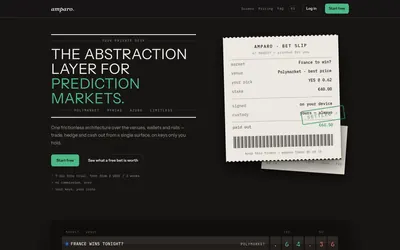

Compare supported prediction venues in one terminal, with local signing, bank-to-crypto funding workflows and modular software access.
- Trading mode Manual
- Access Web
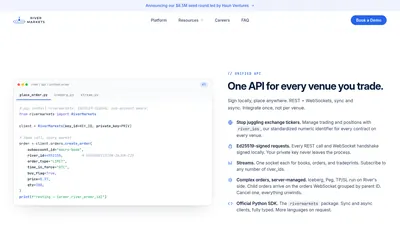

Manage multi-venue order books, execution algorithms, positions and PnL through a professional terminal or a signed REST/WebSocket API.
- Trading mode Manual · Live automation
- Access Web · API
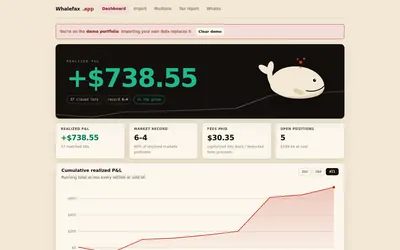

Reconstruct wallet results and export transaction rows for performance analysis or accounting.
- Access Web
Frequently asked questions about Traderline
Is Polymarket supported on macOS?
The official product lists Windows and macOS.
Does Sonar show only holders?
It also exposes trades and wallet profiles.
Is the connection read-only?
The trading setup requires signing capability.
Can custom wallet labels persist?
Yes.