 Polytoolhub
What is River Markets?
River Markets targets professional desks that need one order-management layer across venue accounts. It combines a multi-book terminal, standardized contract identifiers, subaccounts and server-managed complex orders. The current product focuses on execution and reporting; margin, custody and cross-venue netting are topics for a separate discussion.
Who it is for
- Professional desks managing many simultaneous orders
- Developers building systematic execution
- Teams separating strategy books and PnL
Features and coverage
- Available on
- Web, REST API, WebSocket, Python SDK
- Markets & venues
- Kalshi, Polymarket, Polymarket US, Crypto.com
- Research topics
- Professional execution, Order management
- Multi-book terminal
Place, modify and cancel orders from several books.
- Unified OMS
Track orders, fills, positions and PnL in one blotter.
- Complex orders
Use server-managed Icebergs, Pegs and take-profit/stop-loss structures.
- Parent-order control
Cancel a complex-order parent to unwind its child-order workflow.
- Smart routing
Compare eligible matched contracts across connected venues.
- Subaccounts
Separate strategy books and attribute performance.
- Standard identifiers
Use river_ids rather than maintaining venue ticker mappings everywhere.
- Python SDK
Use typed synchronous or asynchronous clients.
- Signed transport
REST calls and WebSocket handshakes use local Ed25519 signatures.
Workflows with River Markets
Consolidate a desk
Connect supported venue accounts and map strategies to subaccounts.
Implement an iceberg
Set total size, displayed tranche, limit and post-only behavior; monitor child orders by parent ID.
Evaluate routing
Compare actual all-in fills against the eligible venue alternatives rather than a headline improvement average.
Pricing and total cost
Public numeric fees are not listed. Access and commercial terms are discussed through the demo/contact flow.
Getting started
Before you start: Funds remain in customer-controlled venue accounts according to the FAQ.
- Read the quickstart and security documentation.
- Confirm supported venue accounts and permissions.
- Arrange access for the desk.
- Configure signing credentials and subaccounts.
- Test order creation, replacement and cancellation.
- Monitor fills and reconcile venue balances.
Useful links
What to check
- Funds remain in customer-controlled venue accounts according to the FAQ.
- Novig is listed as in integration, not live.
- The product’s prime-brokerage branding does not establish that margin, custody or cross-venue netting is included.
- Provider case-study price improvements are not a fixed execution entitlement.
A closer look
Ratings & reviews
User reviews 0
The main score switches to user ratings after 5 published reviews.
A specific example helps the next person choose the right tool.
Write a review
How was your experience with River Markets?
Share what you used, what worked and what could be better. We confirm your email and review the submission before publishing.
To submit a review, email info@polytradingbot.com with the tool name, your rating and your experience. Enable JavaScript to prepare a draft here.
Related tools
Browse category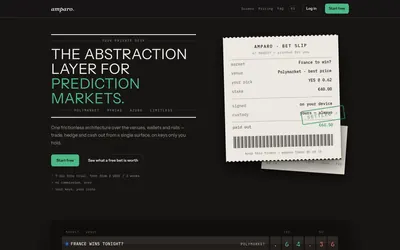

Compare supported prediction venues in one terminal, with local signing, bank-to-crypto funding workflows and modular software access.
- Trading mode Manual
- Access Web
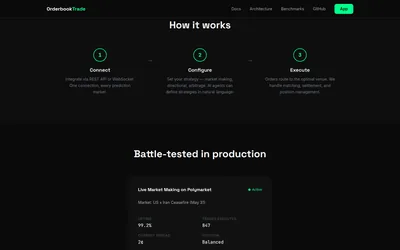

Integrate prediction-market execution, order-book matching and market-making infrastructure through a shared API and WebSocket layer.
- Access API


Compare matched prediction markets, stream normalized data and develop multi-venue strategies with a terminal, API and SDK.
- Data coverage Markets · Prices · Order books · Cross-venue matches
- Access Web · API · MCP
Frequently asked questions about River Markets
Can I use both a terminal and API?
Yes.
Which venues are listed live?
Kalshi, Polymarket, Polymarket US and Crypto.com.
Does River pool client funds?
The FAQ says funds remain in the connected venue accounts.
Where do complex orders run?
River manages the parent/child workflow server-side.