 Polytoolhub
What is OrderbookTrade?
OrderbookTrade targets three users: platforms needing initial liquidity, agents needing an execution interface, and market makers managing several markets. Its published integration status is narrower than the headline: Polymarket is live, Rain is integrating and Kalshi is planned.
Who it is for
- Developers integrating agent execution
- Prediction platforms launching an order book
- Market makers evaluating inventory and risk tooling
Features and coverage
- Available on
- REST API, WebSocket, SDK
- Markets & venues
- Polymarket
- Research topics
- Execution infrastructure, Liquidity provision
- REST and WebSocket integration
Connect order actions and live feeds through a common interface.
- CLOB engine
Provide matching infrastructure for a new prediction platform.
- Initial market making
Discuss liquidity support as part of a platform engagement.
- Inventory controls
Manage inventory skew across markets.
- Risk monitoring
Inspect position exposure alongside execution.
- Agent compatibility
The site lists OpenClaw compatibility.
- SDK documentation
Review the execution abstraction before integrating.
Workflows with OrderbookTrade
Integrate an agent
Map strategy outputs to the documented order interface and verify venue-specific behavior.
Evaluate a platform launch
Discuss matching, initial capital and operational ownership as separate parts of the engagement.
Run a market-making review
Inspect inventory limits, quote behavior and settlement handling before production routing.
Pricing and total cost
No public numeric tariff is displayed. Access and platform/liquidity engagements use the request-access or contact flow.
Getting started
Before you start: Kalshi is listed as planned, not live.
- Read the API and architecture documentation.
- Confirm the required venue’s actual integration status.
- Request access for the intended use case.
- Configure order and inventory limits.
- Test the complete order lifecycle before production deployment.
Useful links
What to check
- Kalshi is listed as planned, not live.
- Rain is listed as integrating.
- The production statistics on the site are provider-reported examples, not an independently audited service-level agreement.
- Cross-venue execution still requires venue-specific funding and settlement handling.
A closer look
Ratings & reviews
User reviews 0
The main score switches to user ratings after 5 published reviews.
A specific example helps the next person choose the right tool.
Write a review
How was your experience with OrderbookTrade?
Share what you used, what worked and what could be better. We confirm your email and review the submission before publishing.
To submit a review, email info@polytradingbot.com with the tool name, your rating and your experience. Enable JavaScript to prepare a draft here.
Related tools
Browse category

Build prediction and sports-betting interfaces on shared liquidity, data feeds and protocol tooling, or research the liquidity-provider side of the ecosystem.
- Access API
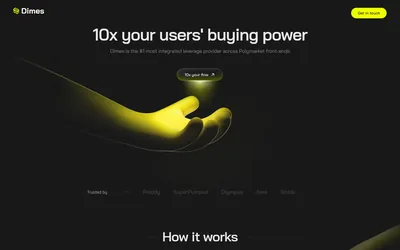

Embed Polymarket leverage in a terminal, mobile app or Telegram bot through an API that handles credit, margin and liquidation.
- Access API · CLI
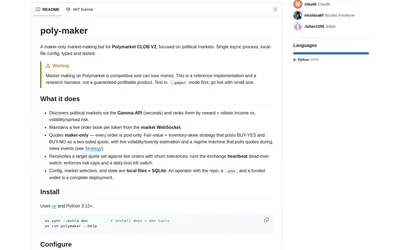
Run a configurable maker-only Polymarket bot with inventory-aware quotes, paper mode, market selection and exposure controls.
- Trading mode Paper · Live automation
- Access CLI
Frequently asked questions about OrderbookTrade
Which venue is explicitly live?
Polymarket.
Is Kalshi already supported?
The ecosystem section labels it planned.
Is this only a retail terminal?
No. It primarily addresses platforms, agents and market makers.
Are prices public?
A numeric schedule is not displayed.