 Polytoolhub
What is Azuro?
Azuro is the infrastructure beneath applications rather than a single Polymarket terminal. Its developer stack connects frontend builders to betting engines, indexed data and a shared liquidity system. The knowledge hub explains how odds, virtual funds, providers and settlement fit together.
Who it is for
- Developers building sports prediction apps
- Chains evaluating a prediction-market integration
- Liquidity providers studying protocol mechanics
Features and coverage
- Available on
- SDK, Smart contracts, Subgraphs
- Markets & venues
- Azuro ecosystem
- Research topics
- Prediction-app infrastructure, Sports liquidity
- Shared liquidity
Connect an application to the protocol’s pool architecture.
- Sports data
Use the supported event and odds-provider infrastructure.
- Developer SDK
Integrate protocol operations with the maintained SDK.
- Frontend toolkit
Build the user interface through linked tooling.
- Indexed data
Read protocol activity through documented subgraphs.
- Bet and payment functions
Use the integration guides for contract actions.
- LiquidityTree
Study how pool capital is organized and allocated.
- Settlement guidance
Read provider and oracle-resolution rules.
- Deployment references
Check network addresses, audits and versioned releases.
Workflows with Azuro
Build an app
Choose a supported chain, inspect current deployments and integrate the SDK/toolkit with the required event data.
Evaluate LP participation
Read pool utilization, virtual funds and reward distribution before supplying capital.
Check an event lifecycle
Trace odds, accepted bets and settlement through the protocol’s defined actors.
Pricing and total cost
The reviewed public entry pages do not publish one flat price for launching an app. Protocol economics, frontend rewards, data access and chain costs depend on the integration; the docs separate those roles and flows.
Getting started
Before you start: The frontend builder, data provider and liquidity provider have different responsibilities.
- Choose the Applications or Blockchains developer path.
- Check current deployment addresses and versions.
- Read the betting and settlement model.
- Use the SDK and indexed data for a small integration.
- Test accepted, rejected and settled event states.
- Review the economic arrangement for the chosen frontend or pool role.
Useful links
What to check
- The frontend builder, data provider and liquidity provider have different responsibilities.
- Sports/liquidity functionality should not be confused with every broader market concept promoted on the landing page.
- Pool returns depend on the protocol’s actual betting and fee flows.
- A toolkit release is not automatically compatible with every older deployment.
A closer look
Ratings & reviews
User reviews 0
The main score switches to user ratings after 5 published reviews.
A specific example helps the next person choose the right tool.
Write a review
How was your experience with Azuro?
Share what you used, what worked and what could be better. We confirm your email and review the submission before publishing.
To submit a review, email info@polytradingbot.com with the tool name, your rating and your experience. Enable JavaScript to prepare a draft here.
Related tools
Browse category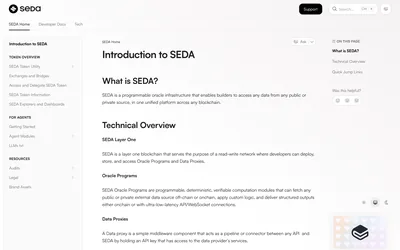
Build programmable oracle pipelines that fetch external data, apply verifiable logic and deliver structured results to applications or smart contracts.
- Access API
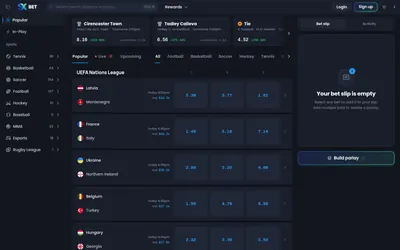

Browse peer-to-peer sports markets, compare offered odds and build supported parlays through a crypto-funded betting exchange.
- Access Web · API
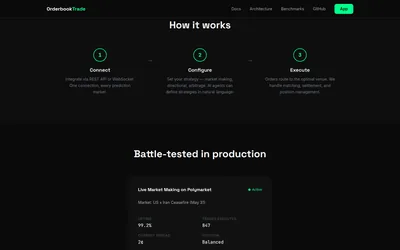

Integrate prediction-market execution, order-book matching and market-making infrastructure through a shared API and WebSocket layer.
- Access API
Frequently asked questions about Azuro
Is Azuro itself a Polymarket frontend?
No; it is an independent infrastructure ecosystem.
Does it provide developer libraries?
Yes, with SDK and toolkit resources.
Can I inspect indexed protocol data?
The docs describe subgraphs.
Where are settlement rules documented?
In the knowledge hub and settlement-policy resources.