 Polytoolhub
What is Synthesis?
Synthesis opens directly into a trading screen. Market context, chart timeframes, order book and trade history share the page with the outcome selector and order form. Separate navigation leads to discovery, multiview, copying and the portfolio, while the lower workspace organizes account orders and positions.
Who it is for
- Traders who want depth and chart context on one screen
- Users comparing outcomes within a large event
- Users managing a multi-market research workspace
Features and coverage
- Available on
- Web
- Markets & venues
- Polymarket
- Research topics
- Order-book workspace, Outcome research
- Market context
Review price, volume, liquidity and closing time.
- Chart controls
Switch chart presentation and time ranges.
- Detailed depth
Read price levels, share quantities and cumulative totals.
- Trade history
Compare recent activity with resting liquidity.
- Outcome table
Switch among event outcomes with YES/NO quotes.
- Order controls
The form exposes buy/sell and market, limit and stop-loss modes.
- Account panels
Organize orders, positions, copytrades and activity.
- Research panels
Access news, related markets, holders, description and resolution.
Workflows with Synthesis
Inspect entry liquidity
Select the exact outcome and compare desired size with depth near the quote.
Research an event
Read description and resolution before comparing the outcome table.
Manage the workspace
Use discovery and multiview for related events, then inspect working orders separately from positions.
Pricing and total cost
The public trading screen does not display a complete platform subscription or fee schedule. Inspect the authenticated order confirmation and service terms.
Getting started
Before you start: A public order form does not establish that every action is available without account setup.
- Open a market in the public terminal.
- Choose the exact outcome and side.
- Read its description and resolution section.
- Compare chart context and order-book depth.
- Sign in for account-specific actions.
- Review order mode, price, size and fees before confirmation.
Useful links
What to check
- A public order form does not establish that every action is available without account setup.
- The Copytrade navigation alone does not document its limits or execution behavior.
- A stop-loss trigger depends on the product’s implementation and available liquidity.
- Visible historical prices and current executable quotes serve different purposes.
A closer look
Ratings & reviews
User reviews 0
The main score switches to user ratings after 5 published reviews.
A specific example helps the next person choose the right tool.
Write a review
How was your experience with Synthesis?
Share what you used, what worked and what could be better. We confirm your email and review the submission before publishing.
To submit a review, email info@polytradingbot.com with the tool name, your rating and your experience. Enable JavaScript to prepare a draft here.
Related tools
Browse category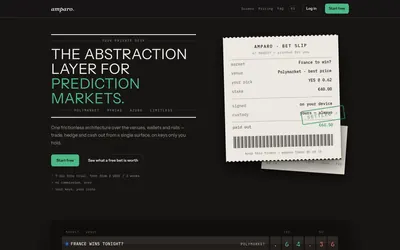

Compare supported prediction venues in one terminal, with local signing, bank-to-crypto funding workflows and modular software access.
- Trading mode Manual
- Access Web
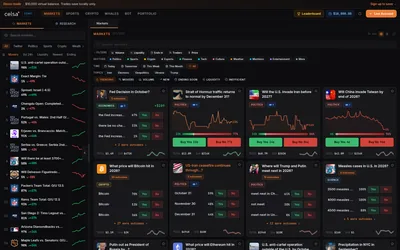

Trade Polymarket through a terminal with a virtual practice balance, strategy presets, whale monitoring and market-specific news panels.
- Trading mode Paper · Manual
- Access Web
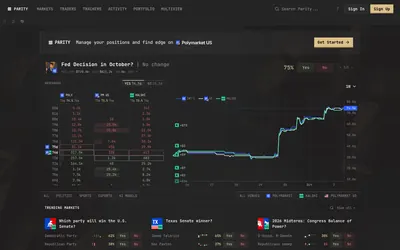

Compare prediction-market order books and organize markets, traders, activity and positions across Polymarket, Kalshi and Polymarket US.
- Access Web
Frequently asked questions about Synthesis
Can I see cumulative depth?
The order book shows shares and running totals.
Does it support more than a simple market-order layout?
The visible form includes limit and stop-loss modes.
Can I compare several event outcomes?
Yes, through the outcome table.
Where are settlement rules?
The workspace includes a Resolution section.