 Polytoolhub
What is Celsa?
Celsa brings manual orders, rule-based strategies and research into one Polymarket workspace. Crypto, sports and weather pages receive different context panels, while a separate demo mode lets you explore the order flow and automation with virtual capital. Its rewards system offsets part of the platform trading fee as your points tier rises.
Who it is for
- Traders who want research and orders in one workspace
- Users practicing automation before switching to live funds
- Users monitoring large wallets alongside events
Features and coverage
- Available on
- Web
- Markets & venues
- Polymarket
- Research topics
- Trading automation, Demo trading
- Demo account
Start with $10,000 in virtual funds and replenish the practice balance.
- Strategy presets
Configure momentum, mean reversion, cross-market arbitrage, fair-value deviation and exit ladders.
- Direct order entry
Submit orders to the Polymarket CLOB from the terminal.
- Whale research
Inspect ranked wallets, open positions, recent trades and PnL curves.
- Market-specific context
Use crypto charts, sports scores and weather forecasts in the relevant market layout.
- Event stream
Follow GDELT, Reddit, Hacker News, Wikipedia and earthquake-feed context.
- Cashback tiers
Accumulate trading and quest points to increase the fraction of platform fees returned.
- Account portability
The product provides an export path for wallet and CLOB credentials.
Workflows with Celsa
Try an automation preset
Open demo mode, select a market and preset, set its parameters and inspect the resulting virtual orders and positions.
Research a large trade
Find the wallet, inspect its positions and recent activity, then compare the market with the related event feed.
Estimate trading costs
Check the platform fee and your tier before entering the order; treat cashback as a rebate on fees rather than trade profit.
Pricing and total cost
Free to try during beta; the published rewards section describes a 1% trading fee.
Fees and usage costs
- The tier table lists 5%, 10%, 15%, 20% and 30% cashback on that fee.
- The hero advertises 35%, which does not match the tier table; use the rate displayed in your account.
Getting started
Before you start: Demo and live trading use separate balances and leaderboards.
- Open Celsa and choose the demo workspace.
- Explore a market-specific panel and the order form.
- Configure a strategy in demo mode.
- Review the points tier and fee schedule.
- Connect the intended wallet only for the live workspace.
Useful links
What to check
- Demo and live trading use separate balances and leaderboards.
- The homepage contains inconsistent maximum-cashback figures.
- Preset automation still needs explicit market, sizing and exit settings.
A closer look
Ratings & reviews
User reviews 0
The main score switches to user ratings after 5 published reviews.
A specific example helps the next person choose the right tool.
Write a review
How was your experience with Celsa?
Share what you used, what worked and what could be better. We confirm your email and review the submission before publishing.
To submit a review, email info@polytradingbot.com with the tool name, your rating and your experience. Enable JavaScript to prepare a draft here.
Related tools
Browse category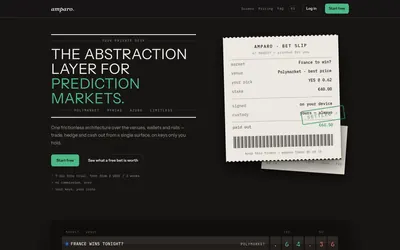

Compare supported prediction venues in one terminal, with local signing, bank-to-crypto funding workflows and modular software access.
- Trading mode Manual
- Access Web


Trade Polymarket alongside tokens and perpetuals in one interface, with wallet management, public trader discovery and mobile access.
- Trading mode Manual
- Access Web
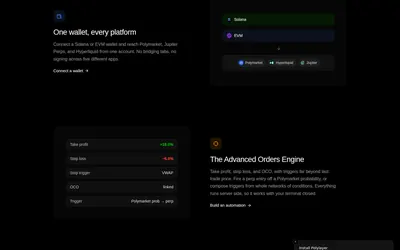

Browse prediction markets and perpetuals in one terminal, with watchlists, paper trading, portfolio tools and advanced order automation.
- Trading mode Paper · Manual
- Access Web
Frequently asked questions about Celsa
How much practice capital is included?
$10,000 in virtual funds, with a top-up option.
Can I automate without coding?
Yes. The product offers configurable strategy presets and exit ladders.
Does it show news beside markets?
Yes. Several event and discussion feeds are included.
Is cashback a percentage of my trade size?
It is a percentage of the platform trading fee.