 Polytoolhub
What is Polylayer?
Polylayer brings event contracts and perpetual markets into a shared workspace. Its market grid supports discovery and outcome-price comparison, while the broader product includes customizable layouts, portfolio tools and automated order logic. The selected venue determines the actual funding and execution flow.
Who it is for
- Traders who use prediction markets alongside perpetuals
- Users building a customized market-monitoring screen
- People who want to try a strategy in paper mode
Features and coverage
- Available on
- Web
- Markets & venues
- Polymarket, Hyperliquid, Jupiter Perps
- Market grid
Search and filter event tiles, outcome quotes and activity measures.
- Advanced order engine
The product describes take-profit, stop-loss and OCO logic plus cross-product triggers.
- Paper trading
Try the supported trading workflow with simulated positions.
- Portfolio tools
Review positions and explore resolution-based portfolio scenarios.
- Polycanvas
Arrange and share a widget-based terminal layout.
- Alerts and developer access
The product advertises Discord/Telegram notifications and API/CLI pathways.
Workflows with Polylayer
Build a research screen
Choose the markets you follow, organize the relevant widgets and use watchlists to keep the same set visible.
Explore a combined portfolio
Open the portfolio tools and inspect how different event outcomes affect the connected positions.
Try an automated order rule
Start in supported paper mode, define the trigger and exit behavior, then use the relevant live venue flow when ready.
Pricing and total cost
The public product pages do not provide a complete subscription or execution-fee table. Check the chosen product route and order preview; prediction contracts and perpetuals have different cost structures.
Getting started
Before you start: Features vary across connected venues and product types.
- Open the public Markets view.
- Choose the market type and venue relevant to your task.
- Use paper mode or connect the supported Solana/EVM wallet for account functions.
- Configure the order, alert or layout in the selected product surface.
Useful links
What to check
- Features vary across connected venues and product types.
- Portfolio simulations require connected account data.
- Perpetual positions have funding and liquidation mechanics that do not apply in the same way to event contracts.
- Server-side automation needs explicit pause, cancel and exit management.
A closer look
Ratings & reviews
User reviews 0
The main score switches to user ratings after 5 published reviews.
A specific example helps the next person choose the right tool.
Write a review
How was your experience with Polylayer?
Share what you used, what worked and what could be better. We confirm your email and review the submission before publishing.
To submit a review, email info@polytradingbot.com with the tool name, your rating and your experience. Enable JavaScript to prepare a draft here.
Related tools
Browse category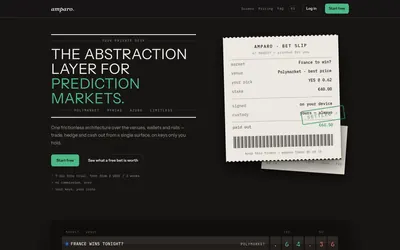

Compare supported prediction venues in one terminal, with local signing, bank-to-crypto funding workflows and modular software access.
- Trading mode Manual
- Access Web
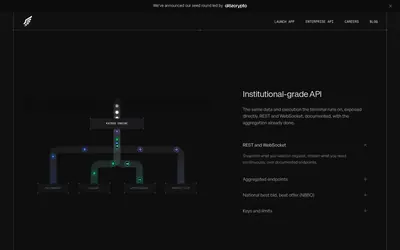

An aggregated prediction-market terminal and enterprise API for market data, order execution, positions and trader intelligence.
- Trading mode Manual
- Access Web · API
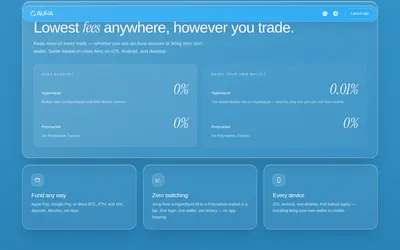

Use Polymarket and Hyperliquid from a shared mobile and desktop interface, with separate prediction and perpetual-market workflows.
- Trading mode Manual
- Access Web · iOS · Android
Frequently asked questions about Polylayer
Does Polylayer only cover prediction markets?
No. It also presents perpetual-market workflows.
Can I customize the workspace?
Polycanvas is the shareable widget-based terminal concept.
Can I inspect the market list before connecting a wallet?
Yes. The public market browser exposes event tiles and outcome quotes.