 Polytoolhub
What is Aura?
Aura combines prediction-market browsing with Hyperliquid trading. Its Predict view exposes market categories, outcome cards and volume, while the account system supports either an embedded account or an existing EVM wallet. Venue-specific wallets, permissions and funding remain distinct within the unified interface.
Who it is for
- Users trading both Polymarket and Hyperliquid
- Traders who want mobile and desktop access
- People choosing between embedded-account and existing-wallet onboarding
Features and coverage
- Available on
- Web, iOS, Android
- Markets & venues
- Polymarket, Hyperliquid
- Prediction discovery
Browse trending, new and category-filtered Polymarket markets.
- Outcome cards
Inspect outcome prices and volume before opening a market.
- Two account paths
Use Google, Apple or email for an embedded account, or connect a compatible external wallet.
- Hyperliquid controls
The documented device trading key supports order, TP/SL and leverage actions.
- Cross-device product
The service advertises iOS, Android and desktop interfaces.
Workflows with Aura
Move from research to a prediction order
Browse Predict, open the event and inspect its rules and price. Select the Polymarket-specific funding route before placing an order.
Set up Hyperliquid access
Choose the account path, authorize the device trading key and inspect its scope separately from any Polymarket signer permissions.
Pricing and total cost
Aura advertises no subscription, platform or withdrawal fee, with native venue costs separate. Its external-wallet Hyperliquid builder fee is inconsistent across public pages: 0.01% on the homepage versus 0.001% in specified help-page cases. Confirm the rate and referral eligibility in setup.
Getting started
Before you start: Hyperliquid agent-key permissions do not describe the separate Polymarket Safe signer.
- Launch Aura and choose Predict or the Hyperliquid surface.
- Create an embedded account or connect an existing EVM wallet.
- Follow the funding instructions for the selected venue.
- Review the trading permissions and effective fee before confirming.
Useful links
What to check
- Hyperliquid agent-key permissions do not describe the separate Polymarket Safe signer.
- The documented 0.1% fee approval ceiling is a maximum authorization, not the current trading rate.
- Available funding options depend on the selected venue.
A closer look
Ratings & reviews
User reviews 0
The main score switches to user ratings after 5 published reviews.
A specific example helps the next person choose the right tool.
Write a review
How was your experience with Aura?
Share what you used, what worked and what could be better. We confirm your email and review the submission before publishing.
To submit a review, email info@polytradingbot.com with the tool name, your rating and your experience. Enable JavaScript to prepare a draft here.
Related tools
Browse category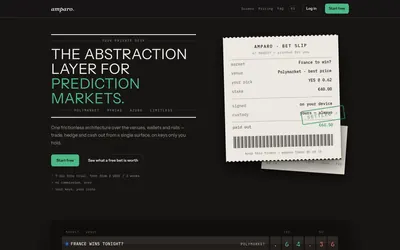

Compare supported prediction venues in one terminal, with local signing, bank-to-crypto funding workflows and modular software access.
- Trading mode Manual
- Access Web


Research traders and manage wallet-copy rules through a connected web and Telegram account.
- Trading mode Manual · Live automation
- Access Web · Telegram
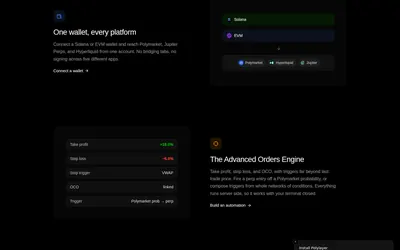

Browse prediction markets and perpetuals in one terminal, with watchlists, paper trading, portfolio tools and advanced order automation.
- Trading mode Paper · Manual
- Access Web
Frequently asked questions about Aura
Can I use an existing wallet?
Yes. Aura documents an external EVM-wallet path alongside embedded accounts.
Is the Hyperliquid trading key allowed to withdraw?
The documented device key allows trading actions but no withdrawals.
Does one deposit automatically fund both venues?
Use each venue’s funding flow; the balances and instructions are separate.