 Polytoolhub
What is Simmer?
Simmer is the hosted agent workflow around a catalog of trading skills. Skills define how an agent selects markets and applies a strategy; users can also describe an idea and generate a new skill with configuration and a trading script. The platform starts with play money and separates real-market wallet linking from simulation.
Who it is for
- Developers running autonomous research agents
- Users adapting a documented strategy skill
- Researchers comparing agent decisions and settled results
Features and coverage
- Available on
- Web, CLI agents, MCP
- Markets & venues
- Polymarket, Kalshi, Hyperliquid, Simulated markets
- Skill catalog
Browse crypto, weather, copying and other strategy implementations.
- Skill builder
Create a market-selection and execution workflow from an idea.
- Agent compatibility
The provider lists CLI agents, ClawHub and MCP access.
- Paper start
Use play money before linking a live wallet.
- Hard caps
Apply trade, daily and drawdown limits outside the strategy’s own choices.
- Local signing
The signing key is described as remaining with the agent.
- Decision records
Inspect the reasoning attached to trades.
- Pro research
Autoresearch evaluates experiments with a holdout split.
- Pro signals
Deliver filtered whale and copying signals to the agent.
Workflows with Simmer
Evaluate a skill
Read its market universe, trigger, sizing and exits, then run its dry mode.
Create a variant
Describe the change, inspect the generated files and compare simulated decisions.
Prepare a live workflow
Set account caps, verify the wallet and inspect the activation boundary before allowing live orders.
Pricing and total cost
The skill catalog is described as free to install. Autoresearch and real-time signal features are labeled Pro; current subscription and execution charges should be checked in the account.
Getting started
Before you start: A skill’s advertised strategy is not a demonstrated result for your configuration.
- Choose an agent and integration method.
- Read the selected skill and dependencies.
- Keep the default dry-run or play-money mode.
- Set limits and inspect decisions.
- Link a wallet only for a separately chosen live workflow.
Useful links
What to check
- A skill’s advertised strategy is not a demonstrated result for your configuration.
- Simulated and live venues are separate modes.
- The agent cannot be assumed to choose the same markets after a model or configuration change.
A closer look
Ratings & reviews
User reviews 0
The main score switches to user ratings after 5 published reviews.
A specific example helps the next person choose the right tool.
Write a review
How was your experience with Simmer?
Share what you used, what worked and what could be better. We confirm your email and review the submission before publishing.
To submit a review, email info@polytradingbot.com with the tool name, your rating and your experience. Enable JavaScript to prepare a draft here.
Related tools
Browse category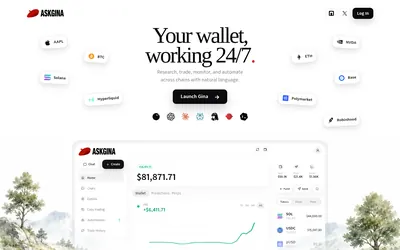

Research Polymarket, place orders and run scheduled wallet automations through a conversational agent or a connected AI client.
- Access Web · MCP
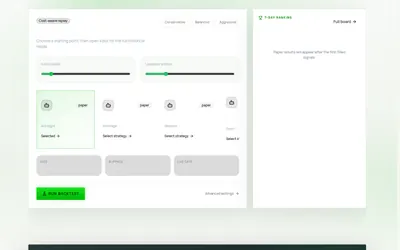

Draft prediction-market strategies in plain language, review their configuration and test costs, sizing and limits before activation.
- Trading mode Paper · Live automation
- Access Web
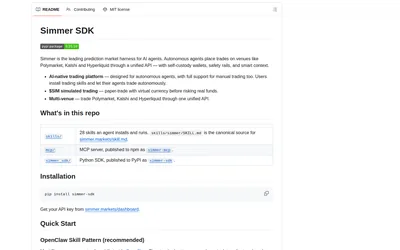
Build prediction-market agents with market research, multiple paper modes, historical replay and supported live-venue integrations.
- Language Python
- Access CLI
Frequently asked questions about Simmer
Is this the same as the SDK?
This profile covers the hosted skill platform; the SDK has a separate developer card.
Can I create a skill?
Yes, through the builder workflow.
Where is the signing key?
The provider says it stays with the agent.