 Polytoolhub
What is Mirror?
The App Store listing formerly catalogued as SignalScout now presents Mirror, a mobile prediction-market copying app. It describes following expert traders, automatic execution and a portfolio spanning several event categories. Traders can also build a following and participate in the app’s copying-revenue model.
Who it is for
- iPhone and iPad users seeking a copying interface
- Users following prediction-market traders across two venues
- Traders exploring a follower-based distribution channel
Features and coverage
- Available on
- iOS, iPadOS
- Markets & venues
- Polymarket, Kalshi
- Research topics
- Mobile copying
- Mobile trader discovery
Browse the app’s selected prediction-market traders.
- Follow workflow
Keep track of chosen experts within one app.
- Copy execution
The current listing advertises automatic execution of followed trades.
- Multi-category portfolio
Follow sports, politics, economics and other event exposure.
- Two-venue scope
The listing names Kalshi and Polymarket.
- Creator participation
Traders can build a following and earn when others copy, under the app’s terms.
Workflows with Mirror
Evaluate a trader
Inspect the in-app record and category exposure before configuring a follow.
Review mobile copying
Check the account connection, sizing and execution confirmation screens before enabling automation.
Assess the creator offer
Inspect how follower earnings and fees are calculated before joining as a trader.
Pricing and total cost
The App Store download is listed as Free. The public description does not specify execution fees, subscription terms or the creator revenue split.
Getting started
Before you start: The listing requires iOS 15.1 or later and covers iPhone/iPad.
- Install the app from the linked App Store listing.
- Confirm that the current app name is Mirror.
- Review the supported venue connections inside the app.
- Inspect a trader and the available copy settings.
- Check all costs and sizing controls before enabling automatic execution.
Useful links
What to check
- The listing requires iOS 15.1 or later and covers iPhone/iPad.
- Free download does not establish that all execution features are free.
- Detailed copy limits and fee terms are not published in the store description.
- The listing’s age rating is a distribution label, not trading-account eligibility.
A closer look
Ratings & reviews
User reviews 0
The main score switches to user ratings after 5 published reviews.
A specific example helps the next person choose the right tool.
Write a review
How was your experience with Mirror?
Share what you used, what worked and what could be better. We confirm your email and review the submission before publishing.
To submit a review, email info@polytradingbot.com with the tool name, your rating and your experience. Enable JavaScript to prepare a draft here.
Related tools
Browse category

Discover traders and copy their positions from a mobile app, with an allocation budget, direct or inverse copying and portfolio controls.
- Access iOS · Android


Discover prediction markets, follow trade-linked social posts and turn a trader’s call into one reviewed order at current prices.
- Trading mode Manual
- Access Web · Mobile app
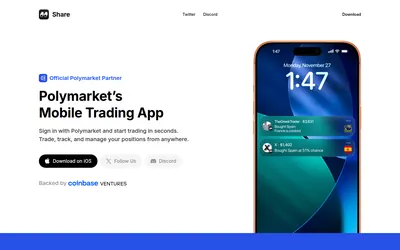

Access your Polymarket account on mobile, follow wallet activity and manage positions with charts, holder views and copy-trading discovery.
- Access iOS
Frequently asked questions about Mirror
Why is it listed under SignalScout in the inventory?
The same App Store ID now uses the Mirror name.
Which venues are named?
Kalshi and Polymarket.
Is there an Android link here?
The verified listing is for iPhone and iPad.
What does Free mean?
The app download is free; in-app trading terms need separate review.