 Polytoolhub
What is Resolve Markets?
Resolve separates access into public tools, a free account and an application-only trading beta. Most research tools work without registration. A free account adds archives and alerts; beta links Kalshi and Polymarket accounts for portfolio views and order management. Execution algorithms are explicitly in paper mode.
Who it is for
- Researchers comparing market contracts and settlement rules
- Users following election odds and exchange flows
- Traders applying for a combined account workspace
Features and coverage
- Available on
- Web
- Markets & venues
- Polymarket, Kalshi, Predict.fun, ProphetX, PredictIt, Manifold, Gemini, Futuur
- Research topics
- Contract research, Election analytics, Portfolio beta
- SONAR screener
Filter contracts by volume, price and time to close.
- Contract comparison
Read rules and settlement terms side by side.
- Fee-aware comparisons
Inspect cross-venue pairs, negative-risk sets and sportsbook lines.
- Flow tools
Review exchange activity, whale trades and wallet rankings.
- Election maps
Compare chamber control and state/district markets.
- Grapevine
Research mention-market behavior with a free account.
- CSV trade analysis
Analyze your export in the browser.
- Watchlist alerts
Use email or push after sign-in.
- Beta portfolio
Connect supported accounts for positions, orders and exposure.
Workflows with Resolve Markets
Check two contracts
Compare resolution wording before looking at a fee-adjusted price gap.
Review a trading history
Import a CSV into the browser analysis tool and inspect results by market.
Explore beta execution
Apply for access, inspect credential handling and keep execution algos in their documented paper mode.
Pricing and total cost
Public tools and the account tier are free. The access page says beta is an application, not a purchase, and that there is nothing to buy during beta.
Getting started
Before you start: Connected live trading is restricted to approved beta users.
- Start with a public screener or comparison.
- Create a free account for archives, Grapevine and alerts.
- Use a local CSV for trade-history analysis if needed.
- Apply for beta only for connected portfolio/trading functions.
- Inspect device-side credential encryption and required permissions.
Useful links
What to check
- Connected live trading is restricted to approved beta users.
- The beta access page lists TWAP, Iceberg, Pegged, Ladder and Stop algorithms in paper mode.
- Research coverage across eight venues does not mean live execution across all eight.
- Credentials are described as encrypted under a PIN on the user’s device.
A closer look
Ratings & reviews
User reviews 0
The main score switches to user ratings after 5 published reviews.
A specific example helps the next person choose the right tool.
Write a review
How was your experience with Resolve Markets?
Share what you used, what worked and what could be better. We confirm your email and review the submission before publishing.
To submit a review, email info@polytradingbot.com with the tool name, your rating and your experience. Enable JavaScript to prepare a draft here.
Related tools
Browse category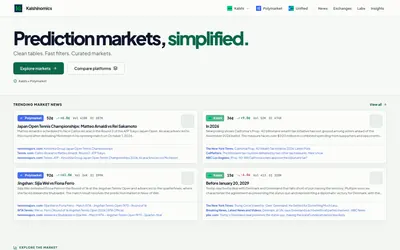

Browse Kalshi and Polymarket tables, compare venue coverage and explore focused dashboards and market research.
- Access Web
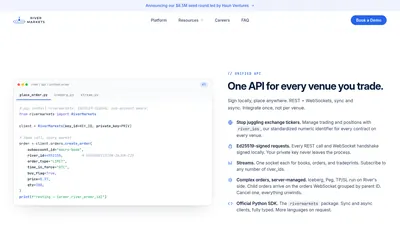

Manage multi-venue order books, execution algorithms, positions and PnL through a professional terminal or a signed REST/WebSocket API.
- Trading mode Manual · Live automation
- Access Web · API
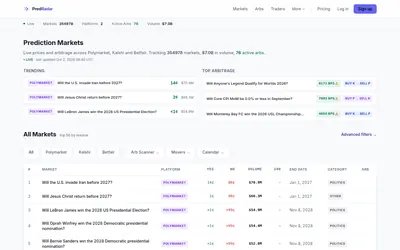

Search prediction markets across venues and compare prices, closing dates, whale activity and flagged cross-platform gaps.
- Access Web · API · MCP
Frequently asked questions about Resolve Markets
Do public tools expire?
No. The no-account tier is described as ongoing public access.
Is beta paid?
The access page says it is application-based and currently not a purchase.
Are execution algorithms live?
The detailed tier page says paper mode.
Which accounts does beta connect?
Kalshi and Polymarket.