 Polytoolhub
What is PrediEdge?
PrediEdge focuses on trading flow. Its product page connects a large-trade feed with wallet monitoring, a leaderboard and a heat map, helping users move from a flagged transaction to the market behind it. The landing examples illustrate the layout; research should use the current app data.
Who it is for
- Users scanning unusually large trades
- Researchers following wallet behavior
- Traders organizing market activity by category
Features and coverage
- Available on
- Web
- Markets & venues
- Polymarket
- Research topics
- Whale trades, Unusual flow
- Whale tape
Review large buy/sell activity with market, amount and entry price.
- Wallet monitoring
Follow large traders and their positions.
- Unusual-flow analysis
Surface patterns selected by the service’s algorithms.
- Volume thresholds
Narrow attention to trades above a chosen size.
- Category filters
Focus activity research on relevant market topics.
- Alerts
The site describes notifications tied to configured filters.
- Heat map and leaderboard
Use broader market and trader views alongside the tape.
Workflows with PrediEdge
Investigate a trade
Open the market and wallet behind the flag, then compare size with available liquidity.
Reduce noise
Set a volume threshold and category scope before following the feed.
Compare repeated behavior
Look for a series of related trades rather than interpreting one large print alone.
Pricing and total cost
The landing page links to the app but does not publish a numeric subscription or usage-limit table.
Getting started
Before you start: Unusual activity is an algorithmic flag, not proof of informed trading.
- Open the official app from the landing page.
- Choose the whale tape or market view.
- Set relevant categories and size thresholds.
- Inspect the underlying wallet and contract.
- Configure available alerts for the narrowed feed.
Useful links
What to check
- Unusual activity is an algorithmic flag, not proof of informed trading.
- Landing-page examples contain historical events and should not be read as live signals.
- Public documentation does not specify alert latency or complete plan limits.
A closer look
Ratings & reviews
User reviews 0
The main score switches to user ratings after 5 published reviews.
A specific example helps the next person choose the right tool.
Write a review
How was your experience with PrediEdge?
Share what you used, what worked and what could be better. We confirm your email and review the submission before publishing.
To submit a review, email info@polytradingbot.com with the tool name, your rating and your experience. Enable JavaScript to prepare a draft here.
Related tools
Browse category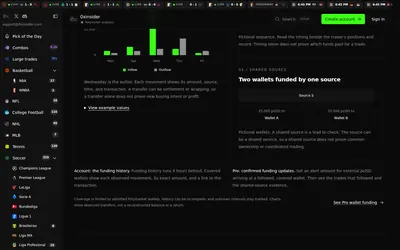

Compare Polymarket sports prices with profitable-wallet positions, inspect trader grades and track large trades through a dashboard or API.
- Access Web · API · MCP
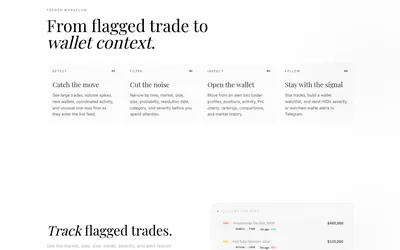
Filter unusual Polymarket trades, inspect wallet context and send high-severity or watchlist activity to Telegram.
- Access Web · Telegram
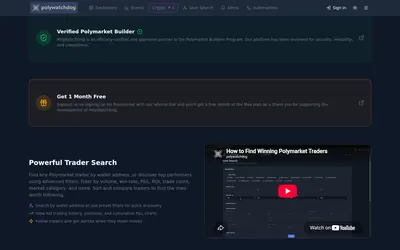
Build a Polymarket monitoring dashboard, filter events and traders, configure browser or Telegram alerts and connect visual trade automations.
- Access Web · Telegram · API
Frequently asked questions about PrediEdge
Does the site describe auto-copying?
The published features focus on monitoring and alerts.
Can I narrow the feed by size?
Volume-based filtering is advertised.
Are sports the only focus?
No. The examples span several Polymarket categories.
Where is pricing listed?
No numeric plan table appears on the public landing page.