 Polytoolhub
What is PolyWatchDog?
PolyWatchDog combines a configurable dashboard with event discovery and address-level research. Its rules can react to trade size, market category and other conditions, so the feed can be narrowed to a specific monitoring task. Visual automations extend those conditions into copy actions or outbound webhooks.
Who it is for
- Users maintaining a multi-panel market watch screen
- Researchers screening traders by performance and activity
- Users who want rules before receiving alerts
Features and coverage
- Available on
- Web, Telegram alerts, Webhooks
- Markets & venues
- Polymarket
- Research topics
- Custom alert rules, Monitoring dashboards
- Flexible dashboard
Arrange draggable, resizable monitoring widgets.
- Event explorer
Switch between grid and table views and filter by tags or liquidity.
- Market detail
Inspect outcome prices, spread and order-book depth.
- Trader search
Look up an address or screen by volume, win rate, PnL, ROI and trade count.
- Wallet history
Review positions, trades and cumulative PnL.
- Alert rules
Use presets or custom conditions for whale trades, low-priced outcomes and large share buys.
- Multiple delivery channels
Receive alerts in the browser or Telegram.
- Visual automation
Build workflows that copy trades or trigger webhooks.
Workflows with PolyWatchDog
Build a watch screen
Add market, volume and alert widgets, then arrange them around the events you monitor.
Reduce alert noise
Set a minimum trade size, category and wallet condition before enabling Telegram delivery.
Investigate a trader
Screen by activity and performance, open the wallet history and review its current positions before following.
Pricing and total cost
The public landing page mentions a Max plan and a referral-based free-month offer, but does not display a complete recurring-price table.
Getting started
Before you start: Monitoring, copying and webhook actions have different effects; inspect the selected action before activating a rule.
- Open the dashboard and browse the event explorer.
- Choose grid or table view and apply category/liquidity filters.
- Search a wallet and inspect its history.
- Create a rule from a preset or custom conditions.
- Configure browser or Telegram delivery.
- Review automation actions separately from monitoring rules.
Useful links
What to check
- Monitoring, copying and webhook actions have different effects; inspect the selected action before activating a rule.
- Public marketing does not give the full plan limits or recurring prices.
- Trader win rate needs context from trade count, exposure and PnL.
A closer look
Ratings & reviews
User reviews 0
The main score switches to user ratings after 5 published reviews.
A specific example helps the next person choose the right tool.
Write a review
How was your experience with PolyWatchDog?
Share what you used, what worked and what could be better. We confirm your email and review the submission before publishing.
To submit a review, email info@polytradingbot.com with the tool name, your rating and your experience. Enable JavaScript to prepare a draft here.
Related tools
Browse category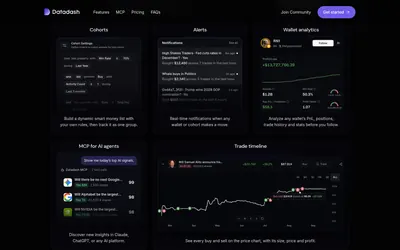

Compare wallets or custom trader groups, score positions and receive alerts in the app or Telegram.
- Access Web · Telegram · API · MCP
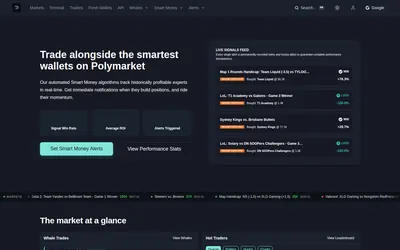
Get price and wallet alerts in Telegram or email, then investigate the move in a trading terminal.
- Trading mode Paper
- Access Web · Telegram · Email
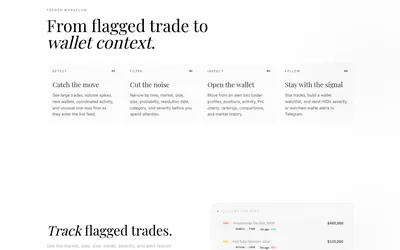
Filter unusual Polymarket trades, inspect wallet context and send high-severity or watchlist activity to Telegram.
- Access Web · Telegram
Frequently asked questions about PolyWatchDog
Can I rearrange the dashboard?
Yes. Widgets are draggable and resizable.
Can alerts go to Telegram?
Yes. Browser and Telegram delivery are listed.
Can I search a specific wallet?
Yes. Address lookup is supported.
What can visual automations do?
The product lists copy-trade actions and webhooks.