 Polytoolhub
What is prediction-market-backtesting?
This framework adds prediction-market adapters and research runners around NautilusTrader. It supports historical book replay, cached data loading, notebook workflows and multi-market reporting. The public runnable scope centers on Polymarket; other venue work is at different stages.
Who it is for
- Python researchers developing reusable replay experiments
- Teams comparing parameters across multiple markets
- Users who need inspectable execution assumptions and rich reports
Features and coverage
- Available on
- Python, Rust, Jupyter
- Markets & venues
- Polymarket
- Nautilus integration
Run strategies through the underlying event-driven simulation framework.
- Book replay
Combine supported order-book deltas and trade ticks.
- Vendor loaders
Use the documented PMXT and Telonex paths.
- Cached staging
Reuse local and materialized data instead of repeatedly acquiring it.
- Joint portfolios
Replay multiple markets under shared portfolio assumptions.
- Optimization runners
Explore parameter configurations with supported samplers.
- Reports and charts
Inspect equity, drawdown, fills, allocation, returns and scoring outputs.
- BTC sandbox plumbing
Experiment with the separate live-data sandbox runner.
Workflows with prediction-market-backtesting
Create a reproducible experiment
Choose the vendor and time window, define the runner and strategy parameters and preserve the execution assumptions with the result.
Compare parameters
Warm the data cache, run the supported sampler and inspect outlying fills and drawdowns rather than selecting solely by final return.
Test a portfolio idea
Use the joint runner so capital allocation across markets is modeled together.
Pricing and total cost
The repository is publicly available with component-specific license notes. Data vendors, compute and any separately enabled live operations have their own costs.
Getting started
Before you start: Kalshi components are research and fee-model plumbing, not a public runnable backtest path.
- Follow the current setup and runner-contract documentation.
- Choose a supported Polymarket data source.
- Acquire or point to a small local data window.
- Run the example experiment and inspect its report.
- Specify fees, latency and passive-order assumptions.
- Expand to a joint portfolio or optimization run after the single-market replay works.
Useful links
What to check
- Kalshi components are research and fee-model plumbing, not a public runnable backtest path.
- Limitless and Opinion are planned rather than current replay integrations.
- Vendor schemas and local file layouts need to match the selected loader.
- Passive queue position and latency are model assumptions.
- Sandbox and live runners are separate from historical replay and can have different account requirements.
A closer look
Ratings & reviews
User reviews 0
The main score switches to user ratings after 5 published reviews.
A specific example helps the next person choose the right tool.
Write a review
How was your experience with prediction-market-backtesting?
Share what you used, what worked and what could be better. We confirm your email and review the submission before publishing.
To submit a review, email info@polytradingbot.com with the tool name, your rating and your experience. Enable JavaScript to prepare a draft here.
Related tools
Browse category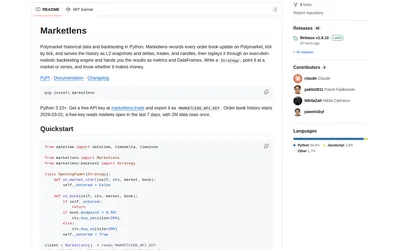

Retrieve historical Polymarket books and run either tick-level execution simulations or faster bar-based signal backtests in Python.
- Language Python
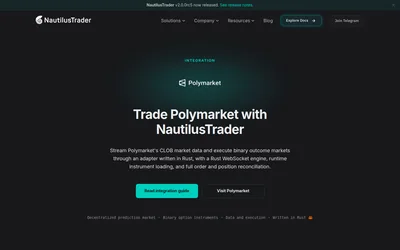

Use a Rust-native Polymarket adapter inside NautilusTrader for live feeds, signed execution and strategy research.
- Language Python · Rust
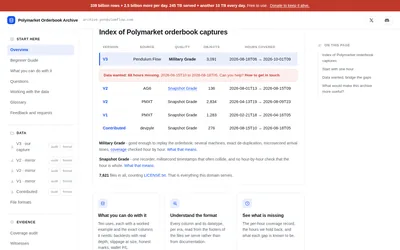

Access the earlier PMXT Polymarket capture eras through a public mirror, with version-specific formats and documented coverage gaps.
- Access Parquet, Python, DuckDB
Frequently asked questions about prediction-market-backtesting
Can I run a Kalshi backtest immediately?
The README explicitly separates its Kalshi research plumbing from a runnable public path.
Does it support notebooks?
Notebook runners are part of the documented workflow.
Can several markets share a portfolio?
Yes. Joint multi-market runners are supported.
Why do two vendors produce different results?
Coverage, event ordering, depth and loader assumptions can differ.