 Polytoolhub
What is Polytragent?
Polytragent’s documented bot combines event research, wallet monitoring and portfolio review. A pasted event link produces market data, reasoning, an estimated edge and entry/exit suggestions. Wallet features use a public address to display positions and concentration; the command menu also exposes trader follows and recent copy signals.
Who it is for
- Users who research markets from Telegram
- Traders monitoring public wallet positions and concentration
- Users who want event analysis alongside whale alerts
Features and coverage
- Available on
- Telegram
- Markets & venues
- Polymarket
- Research topics
- Event research, Portfolio concentration
- Event analysis
Inspect prices, volume, liquidity, deadline and news context for a supplied event.
- Research recommendations
Read YES/NO or skip suggestions with confidence and reasoning.
- Cross-platform context
The docs describe comparisons with Kalshi when matching data is available.
- Portfolio view
Review open positions, closed trades and unrealized PnL.
- Risk scorecard
Inspect category concentration and configured exposure limits.
- Whale follows
Follow a public address or choose from the monthly PnL leaderboard.
- Research menu
Browse trending events, recently created markets and global activity.
- Subscription commands
Use /subscribe and /manage within the bot.
Workflows with Polytragent
Research an event
Paste the event URL, review the market breakdown and reasoning, then open the venue link for the actual order.
Audit portfolio concentration
Add the public wallet address, open the risk scorecard and compare category and position exposures.
Follow a trader
Use the leaderboard or /ct_follow, then inspect incoming trade notifications and recent signals.
Pricing and total cost
The bot documentation lists Standard at $99/month. The marketing page separately advertises Free and $79.99 Degen plans, so the bot checkout is needed to resolve the available offer.
Documented Standard
$99/month
- Research, portfolio tools, whale alerts and strategy signals
Getting started
Before you start: The documentation explicitly says trades are executed by the user on Polymarket; the homepage’s automatic-copying promotion conflicts with that description.
- Open @bmpolybot and send /menu.
- Inspect the subscription shown by /subscribe.
- Paste a Polymarket event URL for research.
- Add only a public address with /wallet for portfolio data.
- Choose sizing and notification settings.
- Use /manage to manage billing.
Useful links
What to check
- The documentation explicitly says trades are executed by the user on Polymarket; the homepage’s automatic-copying promotion conflicts with that description.
- The homepage and bot documentation also list different prices and research speeds.
- Read-only wallet tracking does not grant trading access.
- Strategy target returns are targets, not account results.
A closer look
Ratings & reviews
User reviews 0
The main score switches to user ratings after 5 published reviews.
A specific example helps the next person choose the right tool.
Write a review
How was your experience with Polytragent?
Share what you used, what worked and what could be better. We confirm your email and review the submission before publishing.
To submit a review, email info@polytradingbot.com with the tool name, your rating and your experience. Enable JavaScript to prepare a draft here.
Related tools
Browse category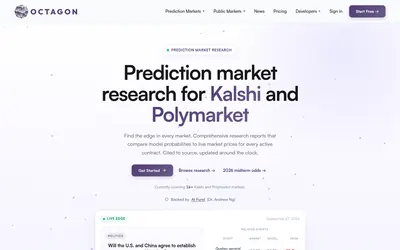

Read source-linked prediction-market research, compare model probabilities with prices and access the analysis through reports, API, MCP or a trading CLI.
- Access Web · API · CLI · MCP
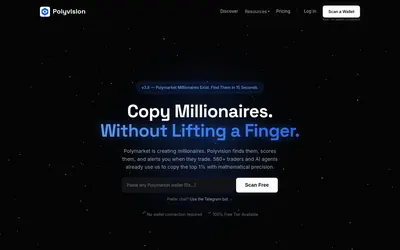

Score Polymarket wallets, inspect PnL and risk factors, track up to 20 traders with Telegram alerts and query the research through REST or MCP.
- Access Web · Telegram · API · MCP
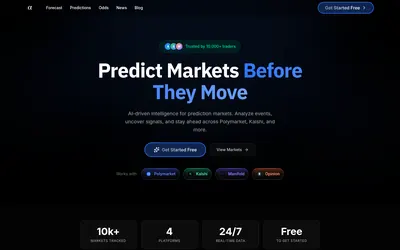

Turn a market link, question or screenshot into an AI forecast and compare it with market odds and news context.
- Access Web
Frequently asked questions about Polytragent
Which Telegram bot is documented?
@bmpolybot.
Does portfolio setup require a private key?
No. The documented flow uses a public address.
How do I research a market?
Paste its link or use /research followed by the URL.
Can I rely on automatic copying being included?
The docs say the product supplies research, signals and alerts; verify any execution feature directly in the bot.