 Polytoolhub
What is PolySpark?
PolySpark is a Telegram-first copying bot. The documented flow starts with the bot, a funded USDC balance and a selected source trader, then adds sizing and limit settings before copying starts. It combines the copying workflow with periodic claiming of completed positions. Its public product page explains the core workflow but does not enumerate every filter or the full trader fee schedule.
Who it is for
- Telegram users who want a focused wallet-copying workflow
- Users who prefer automatic claiming after eligible positions resolve
- Traders choosing a source wallet and a bounded copy size
Features and coverage
- Available on
- Telegram
- Markets & venues
- Polymarket
- Research topics
- Wallet copying, Automatic claims
- Telegram onboarding
Start the official bot and use its account flow without a separate desktop app.
- Wallet-copy execution
Replicate qualifying activity from the selected Polymarket trader.
- Trader discovery
Use the product’s built-in filters to investigate source wallets.
- Sizing and limits
Configure how much the bot should copy and the available exposure controls.
- Periodic auto-claim
The product describes claiming eligible completed positions every few minutes.
- Sponsored trading gas
The site advertises no gas charge to the user for its trading flow.
- Referral area
The bot includes a referral-link workflow for users who want to invite others.
Workflows with PolySpark
Set up a source trader
Open the bot, inspect a candidate wallet, choose the intended sizing and limits and review the setup before activating it.
Review copied activity
Compare the leader’s action with the bot’s executed position, then adjust the future copy configuration if the sizing differs from your intended exposure.
Check settlement handling
After a market resolves, inspect whether the eligible position has been claimed and distinguish the claim from an early sale.
Pricing and total cost
The public page advertises sponsored trading gas but does not publish the complete platform trading-fee rate. Inspect the bot’s fee and order screens before funding a copying workflow; sponsored gas does not establish zero trading fees.
Getting started
Before you start: The public product page does not specify the names and defaults of all risk filters.
- Open polysparkbot in Telegram.
- Complete the bot’s account setup.
- Read the displayed funding instructions for USDC and the chosen network.
- Select and inspect the source wallet.
- Set copy sizing and available limits.
- Review executed positions and eligible claims in the bot.
Useful links
What to check
- The public product page does not specify the names and defaults of all risk filters.
- Automatic claiming applies after an eligible position is resolved; it is different from selling before resolution.
- The advertised next-block execution is a provider description, not a fixed fill-time commitment.
- The published referral reward is not the fee charged on the trade.
A closer look
Ratings & reviews
User reviews 0
The main score switches to user ratings after 5 published reviews.
A specific example helps the next person choose the right tool.
Write a review
How was your experience with PolySpark?
Share what you used, what worked and what could be better. We confirm your email and review the submission before publishing.
To submit a review, email info@polytradingbot.com with the tool name, your rating and your experience. Enable JavaScript to prepare a draft here.
Related tools
Browse category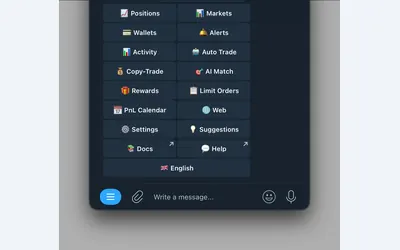

Manage wallet copying, alerts and automated strategies from Telegram or a connected web terminal.
- Trading mode Manual · Live automation
- Access Web · Telegram
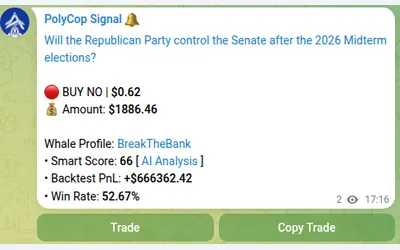

Copy Polymarket wallets in Telegram with market or limit orders, granular exposure limits, order-book pricing and a separate BTC automation mode.
- Trading mode Manual · Live automation
- Access Telegram
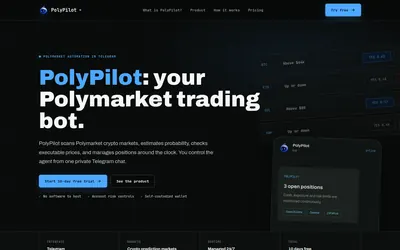

Run a managed crypto-market trading agent from Telegram, with account exposure limits, position monitoring and a subscription based on open-position value.
- Trading mode Live automation
- Access Telegram
Frequently asked questions about PolySpark
Is there an official Telegram link?
Yes. The site identifies polysparkbot.
Does it claim completed positions?
The product describes periodic automatic claiming.
Is it free to trade because gas is sponsored?
Gas and the platform’s trading fee are different costs; the public page does not disclose the complete trading-fee rate.
Can I choose a copy size?
Yes. Sizing and limit setup are part of the documented onboarding flow.