 Polytoolhub
What is PolySniper?
PolySniper first screens events using Gamma prices, then checks candidate outcome books through the CLOB API. The extension ranks remaining signals and distinguishes full book verification from fallback estimates. It is a detection tool: the user opens the event and handles execution on Polymarket.
Who it is for
- Users researching complete-set pricing in negative-risk events
- Traders who want book-based checks instead of midpoint sums
- Users who prefer browser notifications to a separate scanner app
Features and coverage
- Available on
- Chrome extension
- Markets & venues
- Polymarket
- Research topics
- Negative-risk arbitrage, Book verification
- Two-stage scanning
Use a broad Gamma screen followed by order-book checks.
- Outcome cost calculation
Sum the relevant YES-side asks and apply the scanner’s cost buffer.
- Depth estimates
Inspect volume-weighted prices and executable-depth figures.
- Verification badges
Distinguish CLOB-verified, mixed and Gamma-only signals.
- APR and ROI
Compare return calculations with time remaining.
- Floating panel
Move the scanner panel on Polymarket pages.
- Threshold controls
Set minimum APR, depth and refresh interval.
- Pro notifications
Receive sound or desktop alerts for qualifying signals.
Workflows with PolySniper
Inspect a candidate
Open the signal, check its verification badge and review every outcome’s ask-side depth.
Filter thin events
Raise the minimum depth and inspect the smallest available leg before planning size.
Compare short-duration gaps
Read ROI alongside APR so annualization does not obscure the actual remaining margin.
Pricing and total cost
Free scanning and a Pro upgrade; the store description does not give the Pro subscription price.
Free
$0
- 5 visible signals per scan
- 100-market scan
- 60-second refresh
- No account or API key required
Pro
See extension account screen
- Refresh as low as 5 seconds
- Sound and desktop alerts
Getting started
Before you start: The scanner uses a fixed 0.02 additive fee buffer; this is its model, not a universal statement of venue fees.
- Install the extension and open its popup.
- Let the first scan complete.
- Set minimum depth and APR thresholds.
- Inspect verification badges and outcome books.
- Open the Polymarket event to review the full outcome set.
- Use the Account tab for actual Pro terms.
Useful links
What to check
- The scanner uses a fixed 0.02 additive fee buffer; this is its model, not a universal statement of venue fees.
- Fallback Gamma-only signals are not fully checked against executable asks.
- It does not place orders or connect to a trading wallet.
- Complete-set execution requires the correct exhaustive outcome set and fills on all intended legs.
A closer look
Ratings & reviews
User reviews 0
The main score switches to user ratings after 5 published reviews.
A specific example helps the next person choose the right tool.
Write a review
How was your experience with PolySniper?
Share what you used, what worked and what could be better. We confirm your email and review the submission before publishing.
To submit a review, email info@polytradingbot.com with the tool name, your rating and your experience. Enable JavaScript to prepare a draft here.
Related tools
Browse category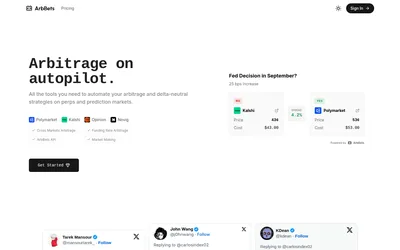
Scan cross-venue price differences, inspect the proposed legs and costs, and access opportunity data through a paid API.
- Data coverage Cross-venue matches
- Access Web · API
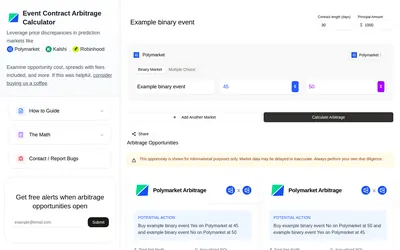

Calculate an event-contract opportunity across venues using contract duration, capital, market type and displayed prices.
- Access Web
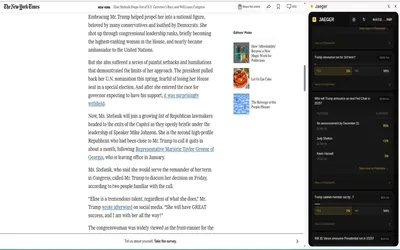

Find Polymarket markets related to the page or highlighted text you are reading, including a dedicated Twitter/X integration.
- Access Browser extension
Frequently asked questions about PolySniper
Does it trade automatically?
No. It scans and links to the event.
Why is a signal yellow?
Some or all order-book checks were unavailable and fallback data was used.
What is free refresh frequency?
Every 60 seconds.
Is APR the return on this one trade?
No. ROI is annualized using the remaining time.