 Polytoolhub
What is ArbBets?
ArbBets organizes tools around price comparison and arbitrage research. Its prediction-market views match contracts across platforms and calculate opportunities for a specified investment amount. The product also covers sportsbook differences, funding rates, weather tools and developer data, with access split across plans.
Who it is for
- Traders comparing equivalent outcomes across venues
- Developers who need sized opportunity data
- Researchers screening spreads before checking the actual order books
Features and coverage
- Available on
- Web, API
- Markets & venues
- Polymarket, Kalshi, Other supported venues
- Research topics
- Arbitrage, Sports, Weather
- Cross-market scanner
Filter by platform and category and sort displayed opportunities.
- Sizing calculator
Inspect the proposed legs for an investment amount.
- Execution context
API data includes IDs, links, prices, gross/net profit and reasons books were skipped.
- Additional scanners
Plan-dependent tools cover funding rates, sports, weather and market odds.
- Developer API
Bearer-authenticated requests return structured opportunity data.
- Public demo
Explore the interface before subscribing; the demo can use delayed data.
Workflows with ArbBets
Evaluate a displayed spread
Open both contracts, compare their settlement rules and inspect the sized legs and available depth. Include each venue’s fees before deciding whether to execute.
Budget API polling
Choose the desired investment and minimum dollar profit, calculate calls per day and compare the total with the credit allowance.
Pricing and total cost
Monthly plans are Basic $59, Pro $149 and Premium $299. Premium includes 5,000 API credits per month.
Basic
$59/month
- Sports-focused tools
Pro
$149/month
- Prediction-market and additional opportunity tools
Premium
$299/month
- API access
- 5,000 monthly API credits
Fees and usage costs
- The documented arbs-full_2 request costs one credit.
- At one request per minute, 5,000 credits cover about 3.47 days of continuous polling.
Getting started
Before you start: The demo is delayed rather than a live execution feed.
- Inspect the demo and choose the plan covering your required tool.
- For API access, create a dashboard key and use bearer authentication.
- Set the investment and min_profit values in dollars.
- Inspect a current response before building a parser or execution workflow.
Useful links
What to check
- The demo is delayed rather than a live execution feed.
- The endpoint overview and response reference use different opportunity structures; verify the actual response schema.
- A quoted spread depends on both contracts’ rules, available size and actual fills.
- Data access does not submit both venue orders for you.
A closer look
Ratings & reviews
User reviews 0
The main score switches to user ratings after 5 published reviews.
A specific example helps the next person choose the right tool.
Write a review
How was your experience with ArbBets?
Share what you used, what worked and what could be better. We confirm your email and review the submission before publishing.
To submit a review, email info@polytradingbot.com with the tool name, your rating and your experience. Enable JavaScript to prepare a draft here.
Related tools
Browse category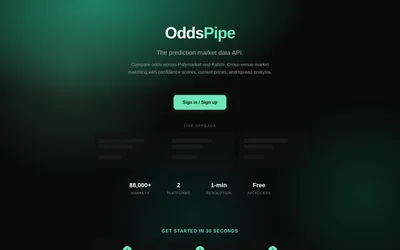

Find matched Polymarket and Kalshi contracts, filter match confidence and query price differences through REST or Python.
- Data coverage Markets · Prices · Cross-venue matches
- Access API
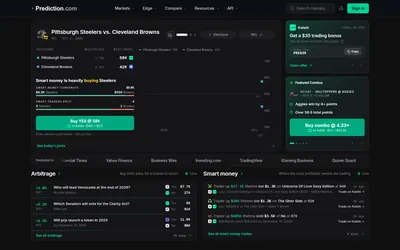

Compare prediction-market odds, browse smart-money and arbitrage views, and use calculators, paper trading and a developer API at Prediction.com.
- Trading mode Paper
- Access Web · API
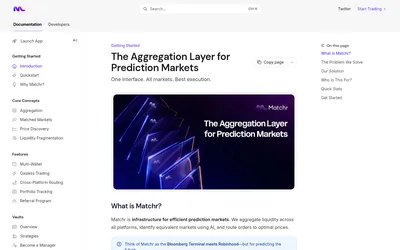

Compare equivalent prediction markets across venues, inspect price differences and use a unified market and portfolio interface.
- Trading mode Manual
- Access Web
Frequently asked questions about ArbBets
Is min_profit a percentage?
No. The documented parameter is a dollar amount.
Which plan includes the API?
Premium lists 5,000 monthly API credits.
Does an opportunity mean both orders have already executed?
No. It is data for evaluating a trade; order placement is a separate step.