 Polytoolhub
What is OddsPipe?
OddsPipe focuses on the discovery work behind cross-venue comparisons. It links potentially corresponding contracts, attaches a confidence score and exposes current prices and spreads. This makes it useful for a spread screen or research shortlist without first building a market-matching pipeline.
Who it is for
- Developers building cross-venue spread screens
- Researchers comparing Polymarket and Kalshi questions
- Python users who want a short API integration
Features and coverage
- Available on
- REST API, Python
- Markets & venues
- Polymarket, Kalshi
- Matched pairs
Retrieve linked markets across the two venues.
- Match confidence
Filter pairs by the supplied confidence score.
- Spread queries
Set a minimum spread to narrow the result set.
- Market search
Search text and filter by venue or status.
- Single-market detail
Read a market and its latest price.
- Python client
Use the oddspipe package or direct HTTP with X-API-Key.
Workflows with OddsPipe
Build a spread shortlist
Query a minimum price difference, filter weak matches and inspect both contracts’ rules. Check executable prices and fees separately before treating a result as a trade.
Track a known market
Resolve its OddsPipe identifier, read current detail and request its cross-platform spread.
Create a research export
Search a bounded theme and keep each pair’s identifiers, confidence and observed prices together.
Pricing and total cost
A free tier supports evaluation; paid tiers are aimed at production volume and redistribution.
Free
$0/month
- Evaluation and side projects
Build
$49/month
- Solo production builders
Launch
$99/month
- Growing applications and teams
Scale
$299/month
- High-volume and redistribution use
Getting started
Before you start: The homepage describes one-minute resolution; this is not a tick-by-tick execution feed.
- Sign up with an email address and obtain an API key.
- Install oddspipe or prepare a direct HTTP request.
- Run a small search or spread query.
- Retain both venue contracts and the match confidence.
- Review plan quotas before scheduling repeated scans.
Useful links
What to check
- The homepage describes one-minute resolution; this is not a tick-by-tick execution feed.
- A confidence score describes a match, not whether a trade will fill.
- Displayed price differences exclude the full effect of depth, fees and settlement differences.
- Redistribution requirements belong in plan selection.
A closer look
Ratings & reviews
User reviews 0
The main score switches to user ratings after 5 published reviews.
A specific example helps the next person choose the right tool.
Write a review
How was your experience with OddsPipe?
Share what you used, what worked and what could be better. We confirm your email and review the submission before publishing.
To submit a review, email info@polytradingbot.com with the tool name, your rating and your experience. Enable JavaScript to prepare a draft here.
Related tools
Browse category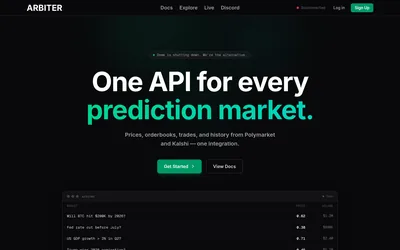

Query normalized Polymarket and Kalshi markets, historical books, wallet analytics and matched events through one data API.
- Data coverage Markets · Events · Order books · Trades · Prices · Positions · Cross-venue matches
- Access API
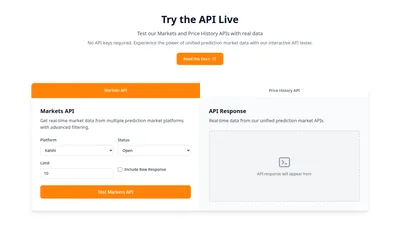

Build with one API for markets, order books, price history and sports data across seven venues.
- Data coverage Markets · Events · Order books · Trades · Prices · Sports events
- Access API · MCP
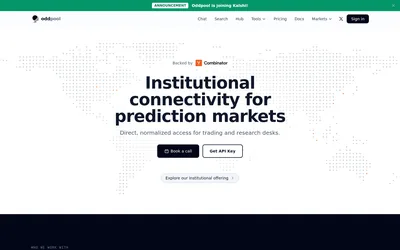

Research cross-venue markets and data through Oddpool. Free accounts and existing subscriptions continue, but new paid subscriptions are closed.
- Data coverage Markets · Order books · Trades · Prices
- Access Web · API
Frequently asked questions about OddsPipe
Which venues are matched?
Polymarket and Kalshi.
Can I discard uncertain matches?
Use the confidence score when filtering pairs.
Does a displayed spread mean executable arbitrage?
Inspect contract rules, current bids and asks, depth and fees first.
Is Python required?
No. The REST API can be called directly with an API key.