 Polytoolhub
What is PolyMaster?
PolyMaster centers its available product on PolyInsight and PolyChat. The event workflow accepts a Polymarket question or link and provides an analysis surface; the site also advertises AI-generated Kelly reports. Credit top-ups and subscriptions fund the analysis. Other named modules, including PolyModeling and PolyWhale, are marked as coming soon and should be treated as the product roadmap.
Who it is for
- Users who want an AI research layer for a specific event
- Readers comparing an analysis report with the original market
- Users who prefer usage credits to a single unlimited plan
Features and coverage
- Available on
- Web
- Markets & venues
- Polymarket
- Research topics
- AI market research, Credit-based analysis
- Event search
Find an event from the research home or start with a Polymarket URL.
- URL shortcut
Insert -intel after polymarket in the hostname of an event link to open the linked research route.
- PolyInsight
Use the available event-analysis surface for the chosen market.
- PolyChat
Open the available conversational research interface.
- Kelly reports
The pricing page includes AI-generated Kelly-report access in the listed paid plans.
- Credit funding
Add usage credits through supported payment methods or a monthly plan.
- Visible product status
The navigation distinguishes available PolyInsight and PolyChat from planned PolyModeling and PolyWhale.
Workflows with PolyMaster
Research an event from its link
Copy the venue event URL, use the documented -intel shortcut and inspect that the same question and outcomes appear in the analysis.
Choose a credit plan
Estimate how frequently you need generated reports, inspect the in-product credit cost and compare one-time top-ups with the monthly allotment.
Read a sizing report
Treat the probability and bankroll assumptions as inputs to the Kelly calculation and compare them with your own intended position constraints.
Pricing and total cost
Generated features use credits. Monthly plans provide different credit quantities; a crypto top-up rate is also displayed.
Free
Free
- Events Explorer
Starter
$20/month
- 24 displayed points per billing cycle
- Events Explorer and Kelly-report access
Pro
$50/month
- 70 displayed points per billing cycle
- Events Explorer and Kelly-report access
Enterprise
$100/month
- 160 displayed points per billing cycle
- Events Explorer and Kelly-report access
Access: The crypto top-up panel lists two credits per US dollar. Check the selected payment method and report’s credit cost before purchase.
Getting started
Before you start: PolyModeling and PolyWhale are labeled coming soon.
- Open PolyInsight or PolyChat.
- Find the exact market through search or its event URL.
- Sign in for account-based analysis.
- Inspect the credit cost of the intended report.
- Choose a top-up or subscription if needed.
- Compare the report’s assumptions and data with the original market.
Useful links
What to check
- PolyModeling and PolyWhale are labeled coming soon.
- Subscription price is a credit allowance, not an established unlimited-analysis entitlement.
- A Kelly output depends on the assumed probability and bankroll, not only the displayed market price.
- The pricing page describes crypto top-ups as final once credited.
A closer look
Ratings & reviews
User reviews 0
The main score switches to user ratings after 5 published reviews.
A specific example helps the next person choose the right tool.
Write a review
How was your experience with PolyMaster?
Share what you used, what worked and what could be better. We confirm your email and review the submission before publishing.
To submit a review, email info@polytradingbot.com with the tool name, your rating and your experience. Enable JavaScript to prepare a draft here.
Related tools
Browse category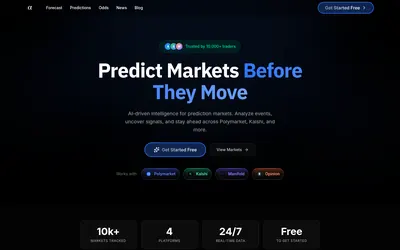

Turn a market link, question or screenshot into an AI forecast and compare it with market odds and news context.
- Access Web


Upload a readable market screenshot for a model-based valuation report, or browse daily picks with confidence scores and written reasoning.
- Access Web · Email
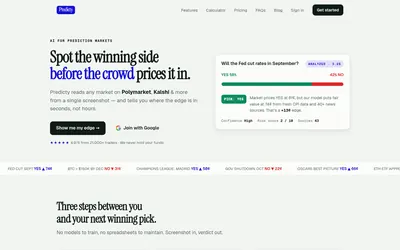

Upload a prediction-market screenshot to get an AI assessment of fair value, the price gap, confidence, sources and risk.
- Access Web
Frequently asked questions about PolyMaster
Which modules are available?
The site marks PolyInsight and PolyChat as available.
How does the URL shortcut work?
The documented example changes polymarket.com/event/... to polymarket-intel.com/event/....
Does a paid plan mean unlimited reports?
The product uses credits; inspect the report cost and plan allowance.
Are whale alerts already available?
The PolyWhale module is marked as coming soon.