 Polytoolhub
What is Polymarket Tips?
Polymarket.tips combines a public trader ranking with a convergence monitor. The monitor watches a selected set of 50 traders and describes a signal when at least three independently take the same position within 24 hours. It is useful for finding a market to investigate and the wallets behind that activity.
Who it is for
- Researchers looking for agreement among tracked wallets
- Users building a shortlist of traders from a leaderboard
Features and coverage
- Available on
- Web
- Markets & venues
- Polymarket
- Trader leaderboard
Compare P&L, win rate, volume, market count and last activity.
- Strategy tags
Labels such as High Volume, Early Mover and Precision Trader provide browsing shortcuts.
- Convergence monitor
Look for the same-side activity of three or more tracked traders in a 24-hour window.
- Follow controls
Select traders to keep on your research list.
- Markets and feed
Move from rankings into market and activity views.
Workflows with Polymarket Tips
Investigate a convergence signal
Open the affected market, identify the contributing wallets and compare their entry prices and timing. Inspect whether they are taking new positions or adjusting existing ones.
Choose active traders to follow
Compare the Last Active field with the ranking and market count; a large historical P&L can belong to an inactive account.
Pricing and total cost
The public leaderboard can be browsed without a subscription checkout. No separate complete paid-plan schedule is shown on the public page.
Getting started
Before you start: The monitor covers its selected 50-trader set, not every wallet.
- Open the leaderboard.
- Compare the trader record and recent activity.
- Follow selected traders or open the Markets and Feed views.
- Use the convergence rule to understand why an alignment signal appears.
Useful links
What to check
- The monitor covers its selected 50-trader set, not every wallet.
- A displayed 0% win rate alongside zero markets can reflect missing or out-of-scope data; inspect the underlying record.
- The airdrop tool is marked coming soon.
A closer look
Ratings & reviews
User reviews 0
The main score switches to user ratings after 5 published reviews.
A specific example helps the next person choose the right tool.
Write a review
How was your experience with Polymarket Tips?
Share what you used, what worked and what could be better. We confirm your email and review the submission before publishing.
To submit a review, email info@polytradingbot.com with the tool name, your rating and your experience. Enable JavaScript to prepare a draft here.
Related tools
Browse category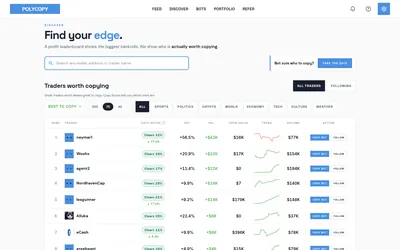

Find traders worth researching, try paper copying, or run a copy bot with your own rules and budget.
- Trading mode Paper · Manual · Live automation
- Access Web
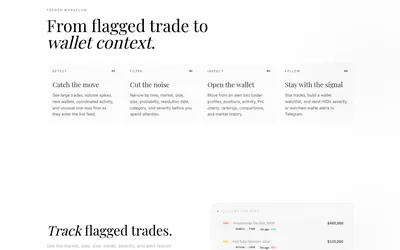

Filter unusual Polymarket trades, inspect wallet context and send high-severity or watchlist activity to Telegram.
- Access Web · Telegram
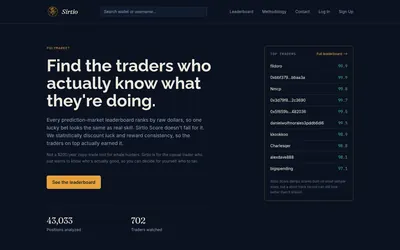

Compare selected Polymarket traders using a score that adjusts recent realized returns for sample size and consistency.
- Access Web
Frequently asked questions about Polymarket Tips
What triggers convergence?
The page describes three or more monitored traders taking the same position within 24 hours.
How many traders does it monitor?
The displayed monitor covers 50 selected traders.
Does a leaderboard position show recent activity?
Use the separate Last Active column; rank and recency are different measures.