 Polytoolhub
What is OffMarket?
OffMarket routes to the same Polymarket order book while changing the account-to-position presentation. Users sign in with Google or a wallet and deposit USDC on Polygon. Its privacy claim concerns the public link to the OffMarket account; the underlying transactions remain public on Polymarket.
Who it is for
- Users comparing privacy-focused trading interfaces
- Traders who want familiar Polymarket liquidity
- Users who prefer Google or wallet sign-in
Features and coverage
- Available on
- Web
- Markets & venues
- Polymarket
- Research topics
- Account privacy, Market execution
- Shared market universe
Browse Polymarket outcomes rather than a separate set of contracts.
- Shared order book
Route to the underlying venue’s liquidity and prices.
- Account-link privacy
The service says positions are not publicly linked to the OffMarket account.
- Flexible sign-in
Use Google or connect a crypto wallet.
- Polygon funding
Deposit USDC on Polygon.
- Public-market browsing
Inspect the market interface before signing in.
Workflows with OffMarket
Compare a quote
Open the same contract on both interfaces and compare side, depth and order terms.
Review privacy boundaries
Read the privacy policy and custody terms before deciding what the account-link feature protects.
Fund the intended route
Check Polygon and the supported USDC asset in the deposit flow before sending funds.
Pricing and total cost
The public description does not provide a complete platform-fee table. Inspect the trade confirmation and terms for the applicable costs.
Getting started
Before you start: The trades themselves remain publicly visible.
- Open the official app.
- Browse the desired market and its rules.
- Review the privacy policy and terms.
- Choose Google or wallet sign-in.
- Check the exact Polygon deposit instructions.
- Review the order quote before confirmation.
Useful links
What to check
- The trades themselves remain publicly visible.
- An account-link privacy claim does not mean activity is invisible to the service or blockchain analysis.
- The site says trading is unavailable from the United States.
- Shared liquidity does not mean identical execution at different times or sizes.
A closer look
Ratings & reviews
User reviews 0
The main score switches to user ratings after 5 published reviews.
A specific example helps the next person choose the right tool.
Write a review
How was your experience with OffMarket?
Share what you used, what worked and what could be better. We confirm your email and review the submission before publishing.
To submit a review, email info@polytradingbot.com with the tool name, your rating and your experience. Enable JavaScript to prepare a draft here.
Related tools
Browse category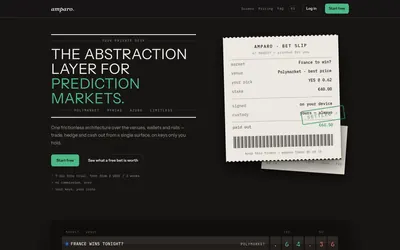

Compare supported prediction venues in one terminal, with local signing, bank-to-crypto funding workflows and modular software access.
- Trading mode Manual
- Access Web
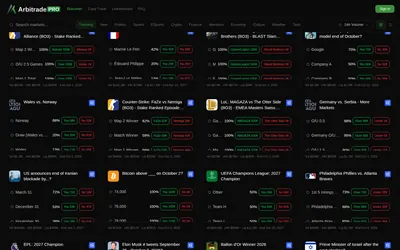

Browse Polymarket events, copy traders and configure six position-management automations, including trailing stops and break-even exits.
- Trading mode Manual · Live automation
- Access Web
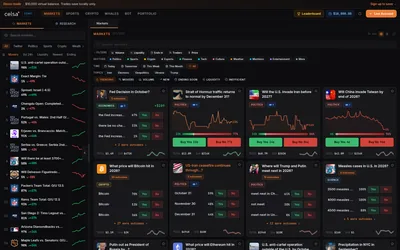

Trade Polymarket through a terminal with a virtual practice balance, strategy presets, whale monitoring and market-specific news panels.
- Trading mode Paper · Manual
- Access Web
Frequently asked questions about OffMarket
Is this a separate exchange?
It routes to Polymarket’s markets and order book.
Are transactions hidden from the chain?
No. The stated privacy feature concerns linkage to the account.
Do I need to create a new external wallet first?
The site supports Google sign-in as well as an existing wallet.
What deposit rail is described?
USDC on Polygon.