 Polytoolhub
What is CopyTrades?
CopyTrades screens traders, relays qualifying activity and records the resulting system trades. For Polymarket it reads public fills; stock and options inputs come from published trader calls. The site separates the source trader’s own record from a system record using its chosen stake sizes. This makes the record and sizing definitions central to understanding what a displayed return measures.
Who it is for
- Users who want entries, additions, trims and exits in one signal feed
- Researchers comparing a filtered system with its source traders
- Users selecting a repeatable playbook rather than one isolated trade
Features and coverage
- Available on
- Web
- Markets & venues
- Polymarket, Stocks, Options
- Research topics
- Trade alerts, Strategy records
- Trader screening
Evaluate the published roster using a trailing record and recurring rechecks.
- Size-based filtering
Where source stake size is visible, compare it with the trader’s usual size to select larger-conviction activity.
- Entry and exit feed
Follow entries, additions, trims and closes rather than only initial picks.
- Live positions
Inspect positions that remain open across the relayed traders.
- Heat board
Rank current setups by the product’s combination of supporting signals.
- Playbook library
Compare subsets of the trade record by market, style, conviction level or trader group.
- System record
Inspect closed trades at the service’s stated stake sizes, including losses.
- Trader profiles
Open the source record and distinguish it from the system’s resized results.
Workflows with CopyTrades
Evaluate a playbook
Choose its market and style, inspect the trade count and holding period, then examine the underlying closed trades rather than only the headline win rate.
Follow a position through its lifecycle
Start with the entry alert, keep additions and trims together and check the final close on the permanent trade page.
Compare performance definitions
Read the trader’s record and the system record side by side, noting which prices and stake sizes each uses.
Pricing and total cost
All markets, alerts and the Falcon Algo are included free during the open beta. No card is required.
Open beta
Free
- Live alerts and position updates
- Trader profiles, playbooks and public records
- Falcon Algo access
Access: The provider says future pricing changes will be announced before the beta ends.
Getting started
Before you start: Displayed system returns use the service’s own stake sizes and are not the returns of a particular member account.
- Create the free account.
- Choose Polymarket when comparing the multi-market records.
- Open the roster and a trader’s full record.
- Select a playbook or use the live alerts feed.
- Track entry, adds, trims and exit together.
- Compare results using the system’s stated sizing basis.
Useful links
What to check
- Displayed system returns use the service’s own stake sizes and are not the returns of a particular member account.
- Polymarket fills and published stock or options calls have different source mechanics.
- The reviewed workflow is signal delivery and research; it does not establish automatic execution in your own wallet.
A closer look
Ratings & reviews
User reviews 0
The main score switches to user ratings after 5 published reviews.
A specific example helps the next person choose the right tool.
Write a review
How was your experience with CopyTrades?
Share what you used, what worked and what could be better. We confirm your email and review the submission before publishing.
To submit a review, email info@polytradingbot.com with the tool name, your rating and your experience. Enable JavaScript to prepare a draft here.
Related tools
Browse category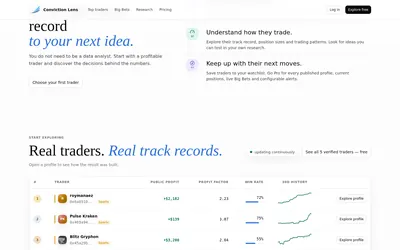
Study profitable Polymarket traders through their histories, category focus, position sizes, losing periods and large-trade alerts.
- Access Web
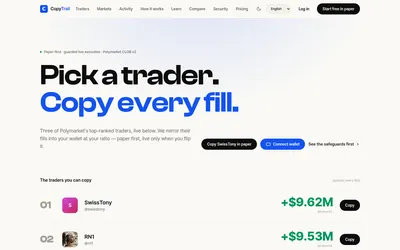

Test a wallet-copy strategy on paper, inspect the fills, then set live budgets and slippage limits.
- Trading mode Paper · Live automation
- Access Web
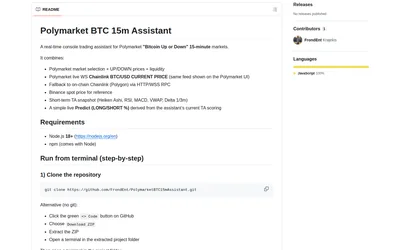
Monitor Bitcoin 15-minute Polymarket rounds beside reference prices and a compact technical-analysis view in your terminal.
- Access CLI
Frequently asked questions about CopyTrades
Is access paid?
The current open beta includes all listed markets and alerts without a card.
Does the feed include exits?
Yes. It includes adds, trims and closes as well as entries.
What is a playbook?
A defined subset of the system’s trade tape with its own record.
Are the published results my expected account return?
No. They describe a stated historical record and sizing basis, which you can inspect trade by trade.