 Polytoolhub
What is Claw Arbs?
Claw Arbs is desktop software for connecting prediction markets and sportsbooks. Each strategy agent has its own venue selection, market filters, edge threshold, execution behavior and exposure limits. The software distinguishes a paired arbitrage trade from a one-sided value bet, and it lets an agent run in paper mode before live execution. Credentials are stored locally in the desktop application.
Who it is for
- Users who need cross-venue scanning and execution together
- Sports traders separating strategies by league or market type
- Users testing sizing and execution logic in paper mode
Features and coverage
- Available on
- Windows, macOS, Linux
- Markets & venues
- Polymarket, Kalshi, Polymarket US, Predict.fun, SX Bet, Supported sportsbooks
- Research topics
- Cross-venue execution, Value betting
- Venue adapters
Connect the supported APIs or use the browser-based calibration flow for other books.
- Independent strategy agents
Configure separate sports, markets, thresholds, execution and limits per agent.
- Two-leg execution
Detect a cross-venue price difference and submit the corresponding paired orders.
- Value-bet mode
Compare a price with a reference probability and place a single-sided trade.
- Depth-aware sizing
Use available market depth alongside maximum stake and per-event limits.
- Execution controls
Use a kill switch, cooldowns, duplicate prevention, exposure caps and tracking of an unpaired leg.
- Paper mode
Test an agent’s behavior without sending funded orders.
- Edge Lab and calculators
Use the experimental football backtester and public odds, EV, Kelly, hedge and bankroll tools.
Workflows with Claw Arbs
Test a cross-venue strategy
Connect two supported venues, create an agent, choose matching market types and configure edge and exposure limits. Inspect paper results before selecting live mode.
Separate value from arbitrage
Choose whether the strategy needs two offsetting legs or one directional position. Size the exposure for that specific mode.
Add a sportsbook
Use an existing community calibration or the point-and-click flow, then verify the selected odds and bet type before enabling execution.
Pricing and total cost
One membership covers the desktop product. The published standard rate is €300/month; the current founding cohort is offered €210/month while seats remain.
Membership — standard rate
€300/month + VAT
- Desktop app for Windows, macOS and Linux
- Strategy agents, paper/live modes and supported venue integrations
- Automated execution and risk controls
Fees and usage costs
- VAT is added at checkout.
- Venue trading costs and spreads are separate.
Trial: One seven-day trial per person; card required and the first charge is on day eight.
Access: Founding rates depend on the available cohort and remain locked while the subscription stays active.
Getting started
Before you start: One-sided value betting leaves a directional position; it is a different workflow from a two-leg arbitrage trade.
- Install the desktop app through the official product flow.
- Connect the intended venues on your own machine.
- Create one strategy agent and select its paper mode.
- Set market filters, edge threshold, maximum exposure and cooldowns.
- Inspect both legs and any unpaired-leg state in trial runs.
- Switch that agent to live only after reviewing its specific configuration.
Useful links
What to check
- One-sided value betting leaves a directional position; it is a different workflow from a two-leg arbitrage trade.
- Two venues can fill at different times or sizes, so unpaired-leg tracking matters.
- The software runs on your own computer; a running local session is part of the execution setup.
- Edge Lab is explicitly experimental.
A closer look
Ratings & reviews
User reviews 0
The main score switches to user ratings after 5 published reviews.
A specific example helps the next person choose the right tool.
Write a review
How was your experience with Claw Arbs?
Share what you used, what worked and what could be better. We confirm your email and review the submission before publishing.
To submit a review, email info@polytradingbot.com with the tool name, your rating and your experience. Enable JavaScript to prepare a draft here.
Related tools
Browse category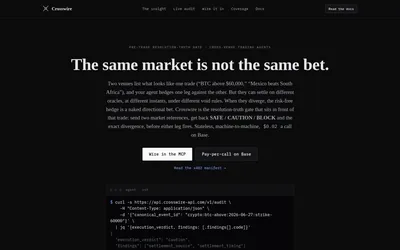

Check whether Polymarket and Kalshi contracts settle the same way before comparing their prices.
- Data coverage Resolution evidence · Cross-venue matches
- Access API · MCP
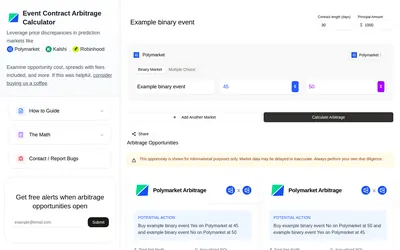

Calculate an event-contract opportunity across venues using contract duration, capital, market type and displayed prices.
- Access Web
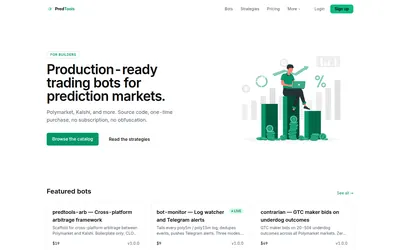

Buy downloadable source code for prediction-market bots, scanners and utilities, then configure and run them in your own environment.
- Access Node.js, Source code
Frequently asked questions about Claw Arbs
Is it a cloud bot?
No. It runs on Windows, macOS or Linux and stores venue credentials locally.
Can I simulate one strategy while another trades live?
Paper or live mode is configured per strategy agent.
Does one subscription cover all features?
The published membership bundles the listed engines, agents and tools.
Does the trial require a card?
Yes. The pricing page states a seven-day trial with a first charge on day eight.