 Polytoolhub
What is Airavat?
Airavat’s Polymarket workspace turns research filters into monitored or simulated strategies. Trader metrics can be sliced by category and period, then saved into a filter. A pod determines what happens when a trade matches: send an alert, simulate copying or manage discretionary paper positions. Access is through private alpha.
Who it is for
- Researchers testing whether a wallet-selection rule works
- Traders who want a simulated allocation with explicit exposure limits
- Users comparing trader performance within a specific category and period
Features and coverage
- Available on
- Web
- Markets & venues
- Polymarket
- Trader scoring
A 0–100 composite covers performance, risk, consistency, edge and experience.
- Sliced analytics
Compare P&L, dollar-weighted win rate, Sharpe, Sortino, drawdown and other metrics by category and time.
- Filters
Create criteria, whitelists and blacklists and reuse them.
- Alert pods
Deliver matching events to email or the Activity tab.
- Paper copy pods
Simulate sizing, scale-ups, proportional exits and position limits.
- Discretionary paper pods
Place simulated trades manually without a filter.
- Resolution research
Use analysis modes, dispute monitoring and rule-change context.
Workflows with Airavat
Turn trader research into a paper strategy
Select a category and time window, shortlist traders and save the criteria as a filter. Check the saved filter’s own category/time settings, then attach a paper pod with capital and exposure limits.
Validate a filter before simulating
Attach an alert pod first to see which events match. Run a paper pod on the same filter when the selection looks useful.
Pricing and total cost
Access is private alpha. Plans cap the number of active pods; a complete public price table is not shown in the public access flow.
Getting started
Before you start: Paper trading uses simulated capital; it is not a live copying account.
- Request access and open the Traders workspace.
- Choose the category/time slice and define criteria.
- Save a filter and confirm its evaluation window.
- Create an Alert, Paper Copy Trade or Paper Discretionary pod.
- Set simulated capital, sizing, exposure and exit behavior, then inspect results.
Useful links
What to check
- Paper trading uses simulated capital; it is not a live copying account.
- A saved filter defaults to its own evaluation settings, which can differ from an ad-hoc trader-table slice.
- A pod’s attached filter and an alert’s delivery method cannot be changed after creation.
- Email alerts are capped at six per hour or 144 per rolling day; additional matches are skipped until the window advances.
A closer look
Ratings & reviews
User reviews 0
The main score switches to user ratings after 5 published reviews.
A specific example helps the next person choose the right tool.
Write a review
How was your experience with Airavat?
Share what you used, what worked and what could be better. We confirm your email and review the submission before publishing.
To submit a review, email info@polytradingbot.com with the tool name, your rating and your experience. Enable JavaScript to prepare a draft here.
Related tools
Browse category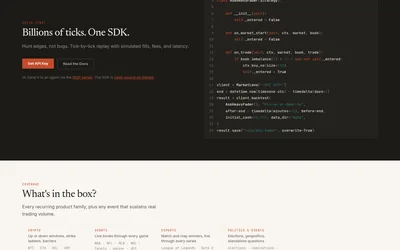

Replay your trading strategy against historical order books, with explicit fill and latency assumptions.
- Data coverage Order books · Trades · Prices
- Access API
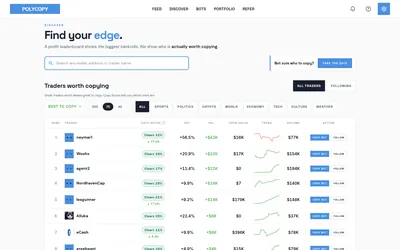

Find traders worth researching, try paper copying, or run a copy bot with your own rules and budget.
- Trading mode Paper · Manual · Live automation
- Access Web
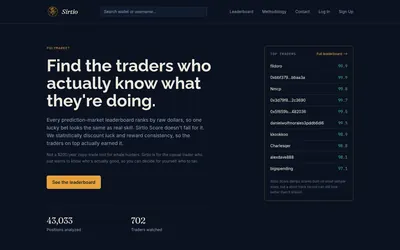

Compare selected Polymarket traders using a score that adjusts recent realized returns for sample size and consistency.
- Access Web
Frequently asked questions about Airavat
Does Airavat need my trading funds for paper pods?
No. The documented paper workflow uses simulated capital.
What is the difference between a filter and a pod?
A filter selects events; a pod sends an alert or simulates the selected action.
Can I trade manually on paper?
Yes. Paper Discretionary pods do not need a filter.