 Polytoolhub
What is WhaleTrack?
WhaleTrack combines a public dashboard with a Premium Telegram service. The dashboard shows market movers, consensus among tracked wallets and open-position context. Premium sends large-trade alerts and provides bot commands for inspecting the tracked set.
Who it is for
- Users monitoring a manageable group of public wallets
- Traders checking whether tracked whales agree or oppose one another
- Users who prefer Telegram notifications to repeatedly opening a dashboard
Features and coverage
- Available on
- Web, Telegram
- Markets & venues
- Polymarket
- Whale dashboard
Inspect the selected wallets, displayed P&L and open bets.
- Consensus view
See wallets on the same side and opposing positions where shown.
- Market movers
Browse volume and price activity by the available topic tabs.
- Large-trade alerts
Premium targets bets of at least $5,000 with a stated typical delay around two minutes.
- Alert context
Read outcome, entry price, amount and wallet statistics in the message.
- Research bot
Use /whales, /winrate, /positions and /setminbet.
- Market links
Open the underlying contract from the dashboard or alert.
Workflows with WhaleTrack
Investigate consensus
Open a market signal and inspect both supporting and opposing wallets. Check when the positions were opened and how much remains held.
Use Telegram as a shortlist
Set a minimum trade size, receive an alert and open the current contract before deciding whether it is still relevant.
Review a whale
Compare open positions with realized-result context rather than relying only on a headline P&L number.
Pricing and total cost
The public dashboard is accessible without a paid plan. Premium adds Telegram alerts and bot access.
Premium
$9/month
- Large-trade Telegram alerts
- Private research-bot commands
- Minimum-bet filter
Getting started
Before you start: The service follows a selected wallet list rather than every account.
- Explore the public dashboard and tracked wallet set.
- Inspect a consensus card and its underlying market.
- Subscribe to Premium if Telegram delivery is needed.
- Join through the provider’s invite and configure the bot filter.
- Review the alert timestamp and current price before using it.
Useful links
What to check
- The service follows a selected wallet list rather than every account.
- Alert delivery is described as typically within two minutes, not an instantaneous feed.
- A Copy Bet link does not establish ongoing automated portfolio copying.
- Displayed payout examples are conditional on the selected outcome winning.
- The same wallet may have positions on both sides; inspect the full position context.
A closer look
Ratings & reviews
User reviews 0
The main score switches to user ratings after 5 published reviews.
A specific example helps the next person choose the right tool.
Write a review
How was your experience with WhaleTrack?
Share what you used, what worked and what could be better. We confirm your email and review the submission before publishing.
To submit a review, email info@polytradingbot.com with the tool name, your rating and your experience. Enable JavaScript to prepare a draft here.
Related tools
Browse category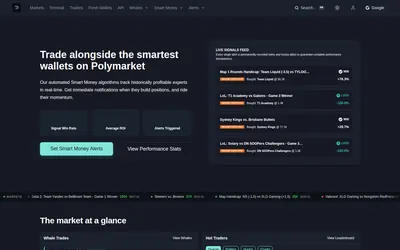
Get price and wallet alerts in Telegram or email, then investigate the move in a trading terminal.
- Trading mode Paper
- Access Web · Telegram · Email
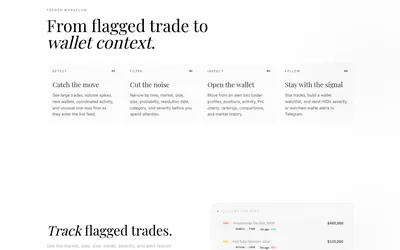
Filter unusual Polymarket trades, inspect wallet context and send high-severity or watchlist activity to Telegram.
- Access Web · Telegram
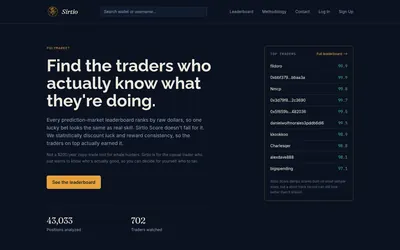

Compare selected Polymarket traders using a score that adjusts recent realized returns for sample size and consistency.
- Access Web
Frequently asked questions about WhaleTrack
Can I use the dashboard for free?
The public tracker can be viewed before buying Premium.
What does Premium add?
Telegram large-trade alerts and research-bot commands.
Can I filter alert size?
The bot documents /setminbet.
Does the service automatically copy every trade?
The public workflow provides alerts and contract links; ongoing automated execution is not established by those links.