 Polytoolhub
What is Sonist?
Sonist is built around markets that resolve on spoken words. Its workflow transcribes an audio source, identifies a configured keyword and routes a trade on a supported connected account. Public browsing is free; the live trading engine and advanced speaker controls are advertised in Plus and Pro plans that currently use a release waitlist.
Who it is for
- Researchers working on spoken-word mention markets
- Users comparing audio-to-order workflows
- Traders who need speaker-specific keyword conditions
Features and coverage
- Available on
- Web, Live audio
- Markets & venues
- Kalshi, Polymarket
- Research topics
- Mention detection, Audio-triggered workflows
- Market browsing
Inspect approved markets and live prices on the free tier.
- Word-by-word transcript
Follow the audio recognition workflow.
- Keyword meters
Track mentions relevant to a configured contract.
- Automated order concept
Plus describes execution from detected words on the user’s account.
- Panic-sell controls
The paid engine lists an emergency exit control.
- Session handling
Plus lists 15-minute AFK sessions and restart handling.
- Speaker controls
Pro advertises diarization, speaker-gated trading and voice tuning.
- Parallel sessions
Pro lists up to three live sessions and 30-minute AFK windows.
Workflows with Sonist
Evaluate a mention market
Read the exact word, speaker and counting rule before considering an audio trigger.
Inspect a demo
Use an approved demo session to compare transcript output with the original source.
Assess paid access
Confirm release availability, account support and order controls before relying on the advertised engine.
Pricing and total cost
Free browsing is listed. Plus and Pro show feature sets but no numeric prices; both direct signed-in users to a release waitlist. Demo sessions require administrator approval.
Getting started
Before you start: Plus and Pro are release-waitlist offers, not unrestricted public access.
- Browse supported markets.
- Read the mention contract’s exact rules.
- Create a free account if needed.
- Request an approved demo or join the relevant release waitlist.
- Confirm audio source, keyword and speaker configuration.
- Inspect order permissions and emergency controls before any funded use.
Useful links
What to check
- Plus and Pro are release-waitlist offers, not unrestricted public access.
- PredictIt, Manifold and Metaculus are labeled coming soon.
- The advertised 238 ms word-to-order figure does not establish end-to-end audio latency for a user’s source.
- Transcription, speaker attribution and contract counting rules can disagree.
A closer look
Ratings & reviews
User reviews 0
The main score switches to user ratings after 5 published reviews.
A specific example helps the next person choose the right tool.
Write a review
How was your experience with Sonist?
Share what you used, what worked and what could be better. We confirm your email and review the submission before publishing.
To submit a review, email info@polytradingbot.com with the tool name, your rating and your experience. Enable JavaScript to prepare a draft here.
Related tools
Browse category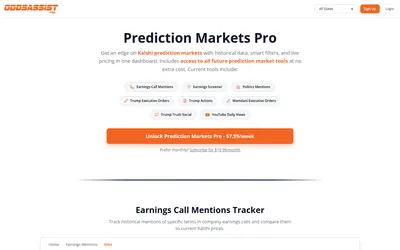

Research Kalshi mention, political-action and YouTube-view markets with historical counts, current progress and linked market prices.
- Access Web
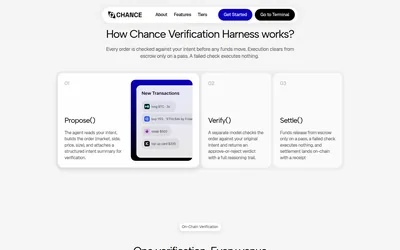

Check an AI agent’s proposed market, outcome, price and size against the original instruction before allowing an on-chain transaction to settle.
- Access Web · API · MCP
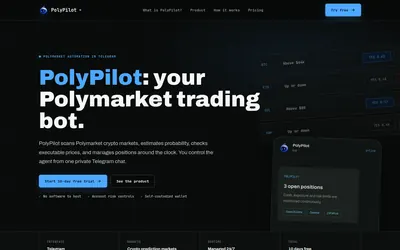

Run a managed crypto-market trading agent from Telegram, with account exposure limits, position monitoring and a subscription based on open-position value.
- Trading mode Live automation
- Access Telegram
Frequently asked questions about Sonist
Can I use the full trading engine immediately for free?
No. Free covers browsing; the engine is listed under waitlisted paid plans.
Which venues are shown as supported?
Kalshi and Polymarket.
Can it distinguish speakers?
That capability is advertised for Pro.
Are paid prices public?
No numeric amounts are shown.