 Polytoolhub
What is Odds Assist Prediction Markets Pro?
Prediction Markets Pro packages specialized trackers around measurable events. Instead of a general-purpose signal score, users inspect past term mentions, weekly action counts or daily view totals and compare them with the relevant Kalshi contract. The subscription also includes the provider’s premium sports-betting tools.
Who it is for
- Traders researching earnings-call mention contracts
- Users following political speech and action counts
- Researchers comparing YouTube view patterns with listed thresholds
Features and coverage
- Available on
- Web
- Markets & venues
- Kalshi
- Research topics
- Mention markets, Political counts, YouTube statistics
- Earnings mentions
Search companies and compare term counts across quarters.
- Earnings screener
Find relevant company-call markets.
- Politics mentions
Research selected speakers, press briefings and Fed conferences.
- Action counters
Track supported executive-order and presidential-action markets.
- Truth Social tracker
Compare current posting counts with past weekly behavior.
- YouTube views
Inspect daily totals, weekly highs, peak days and a 12-week average.
- Kalshi price links
Move from the historical table to the associated market.
- Bundled betting tools
The plan includes odds, positive-EV and arbitrage tools.
Workflows with Odds Assist Prediction Markets Pro
Research a mention
Choose the company or speaker, inspect the exact term and compare recent observations with the market’s counting rule.
Project a weekly count
Compare weeks with similar midweek progress while accounting for scheduled events.
Study a views threshold
Check daily totals and peak-day patterns against the contract’s observation period.
Pricing and total cost
One subscription unlocks the prediction-market suite and bundled premium betting tools.
Weekly
$7.99/week
- Current prediction-market trackers
- Premium betting tools
Monthly
$19.99/month
- Same product suite
- Future prediction-market tools as released
Getting started
Before you start: New-market alerts are labeled coming soon.
- Open the desired tracker before subscribing.
- Select the company, person or artist.
- Read the event’s counting and timing rules.
- Compare historical samples and current counts.
- Choose weekly or monthly access.
- Use the linked Kalshi market for order review.
Useful links
What to check
- New-market alerts are labeled coming soon.
- Historical frequency is not a forecast model by itself.
- Counting definitions, transcript sources and observation windows must match the contract.
- The prediction-market examples primarily target Kalshi.
A closer look
Ratings & reviews
User reviews 0
The main score switches to user ratings after 5 published reviews.
A specific example helps the next person choose the right tool.
Write a review
How was your experience with Odds Assist Prediction Markets Pro?
Share what you used, what worked and what could be better. We confirm your email and review the submission before publishing.
To submit a review, email info@polytradingbot.com with the tool name, your rating and your experience. Enable JavaScript to prepare a draft here.
Related tools
Browse category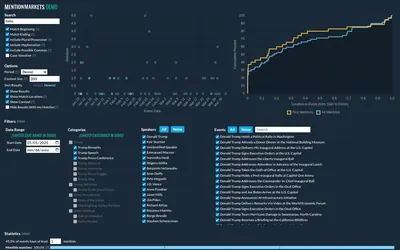
Search transcripts for a market’s keywords and inspect every match in context.
- Access Web
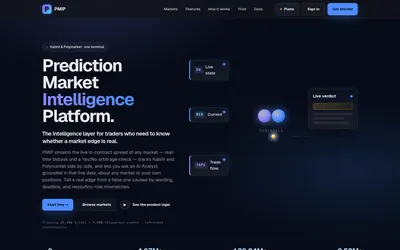

Compare venue prices and settlement rules, then investigate the gap with wallet flow and news.
- Trading mode Read-only
- Access Web · Discord · Email
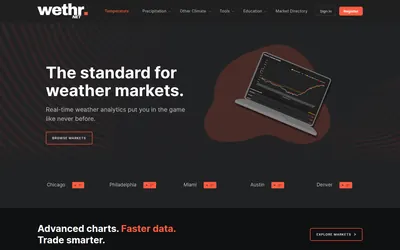

Compare station observations and weather models, then set alerts for the conditions you follow.
- Access Web · API
Frequently asked questions about Odds Assist Prediction Markets Pro
Is this an auto-trader?
The described workflow researches data and links to Kalshi.
Are future tools included?
The subscription page says newly released prediction-market tools are included.
Are new-market alerts already available?
They are labeled coming soon.
Can I inspect a tool first?
The page links to tool previews before subscribing.