 Polytoolhub
What is PRR Wallet Monitor?
PRR Wallet Monitor aligns external reference prices with Polymarket Up and Down share prices. Select a crypto asset and a five- or fifteen-minute cycle, then add public wallets to plot their trades. Streaming starts when you press Start monitoring and pauses when you leave or become idle.
Who it is for
- Researchers studying short crypto rounds
- Users comparing reference and share prices
- Traders reviewing wallet timing
Features and coverage
- Available on
- Web
- Markets & venues
- Polymarket
- Research topics
- Crypto rounds, Wallet timing
- Four assets
Choose BTC, ETH, SOL or XRP.
- Cycle selection
Switch between five- and fifteen-minute rounds.
- Reference feeds
Compare Binance spot and futures, Chainlink and its 60-second TWAP.
- Outcome prices
Follow Up and Down shares.
- Wallet overlays
Plot trades from up to ten labeled addresses.
- Local watchlist
Labels are stored in the browser.
- Session controls
Start and extend fifteen-minute monitoring sessions.
Workflows with PRR Wallet Monitor
Study a round
Choose asset and duration, start monitoring and compare reference movement with share repricing.
Follow a wallet
Add its public address and label, then inspect trade markers.
Read execution context
Use the trade’s actual price; the chart may show a different midprice.
Pricing and total cost
The public monitor has no displayed subscription price.
Getting started
Before you start: Sessions last up to fifteen minutes and can be extended.
- Open Indicators.
- Select asset and cycle.
- Add public addresses.
- Press Start monitoring.
- Keep the tab active and extend the session as needed.
Useful links
What to check
- Sessions last up to fifteen minutes and can be extended.
- Hidden or idle tabs auto-pause.
- Execution prices can differ from chart midprices.
- The tracked-wallet limit is ten.
A closer look
Ratings & reviews
User reviews 0
The main score switches to user ratings after 5 published reviews.
A specific example helps the next person choose the right tool.
Write a review
How was your experience with PRR Wallet Monitor?
Share what you used, what worked and what could be better. We confirm your email and review the submission before publishing.
To submit a review, email info@polytradingbot.com with the tool name, your rating and your experience. Enable JavaScript to prepare a draft here.
Related tools
Browse category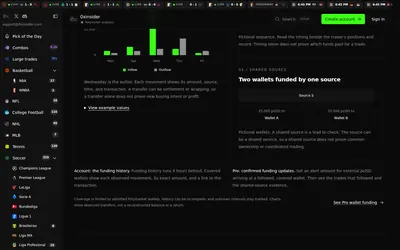

Compare Polymarket sports prices with profitable-wallet positions, inspect trader grades and track large trades through a dashboard or API.
- Access Web · API · MCP
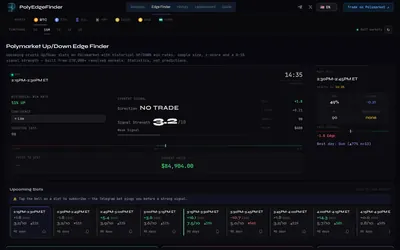

Compare historical Up/Down outcomes by crypto asset and time slot, inspect wallet records and receive configurable pre-start alerts in Telegram.
- Access Web · Telegram
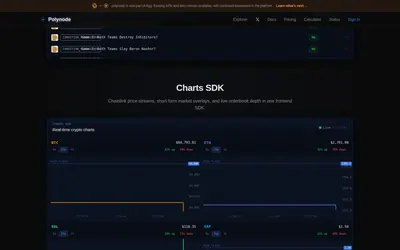

Build Polymarket applications with filtered trade and settlement streams, wallet history, enriched market data and order-book subscriptions.
- Data coverage Trades · Settlement · Markets · Order books · Account activity
- Access API · CLI
Frequently asked questions about PRR Wallet Monitor
Does it stream in a hidden tab?
It auto-pauses.
How many wallets?
Up to ten.
Does it send unattended Telegram alerts?
The reviewed product is an active browser monitor.