 Polytoolhub
What is PolyScope Bot?
PolyScope is a monitoring bot for Polymarket. Add public wallet addresses with labels, choose which ones are active and receive trade details in Telegram. A separate market-tracking mode watches large trades against thresholds, while the AI analyzer summarizes wallet performance and behavior.
Who it is for
- Users monitoring several wallets from Telegram
- Researchers who want labels and pause/resume controls
- Traders watching large transactions on specific markets
Features and coverage
- Available on
- Telegram
- Markets & venues
- Polymarket
- Labeled wallet list
Add one or several addresses with custom names.
- Pause and resume
Stop notifications for a wallet without deleting it.
- Market thresholds
Watch large trades on selected markets.
- Detailed notifications
Alerts include trade information and market context.
- AI wallet analysis
Review P&L, ROI, win-rate and behavior-oriented summaries under the plan allowance.
- Bulk management
Manage multiple addresses and inspect active/paused state.
Workflows with PolyScope Bot
Build a manageable watchlist
Add addresses with meaningful labels, list the active set and pause wallets that create too much noise. Resume them when their markets become relevant.
Separate market and wallet monitoring
Use a wallet rule when the identity matters; use a market threshold when you care about large activity regardless of who trades.
Pricing and total cost
Four documented plans separate wallet counts, market counts and AI-analysis allowances.
Free
$0
- 1 wallet
- 1 market
- 1 analysis
Plus
$2/month
- 15 wallets
- 5 markets
Pro
$19.90/month
- 50 wallets
- 10 markets
- 50 analyses/month
Pro Plus
$49.90/month
- 200 wallets
- 15 markets
- 200 analyses/month
Fees and usage costs
- Payment options include supported ETH networks, USDT on TON and Telegram Stars.
- Check the selected payment quote rather than converting the documentation’s historical ETH amounts.
Getting started
Before you start: The guide describes 10-second polling, so this is not a transaction-before-inclusion feed.
- Open the official bot through its documentation.
- Use /add with a wallet address and label.
- Use /list to inspect the active wallets.
- Set market thresholds or request an analyzer report as needed.
- Use /pause and /resume with the current bot syntax to manage delivery.
Useful links
What to check
- The guide describes 10-second polling, so this is not a transaction-before-inclusion feed.
- Wallet, market and AI-analysis limits are separate.
- An AI suspicious-activity label is a research classification, not proof of access to private information.
A closer look
Ratings & reviews
User reviews 0
The main score switches to user ratings after 5 published reviews.
A specific example helps the next person choose the right tool.
Write a review
How was your experience with PolyScope Bot?
Share what you used, what worked and what could be better. We confirm your email and review the submission before publishing.
To submit a review, email info@polytradingbot.com with the tool name, your rating and your experience. Enable JavaScript to prepare a draft here.
Related tools
Browse category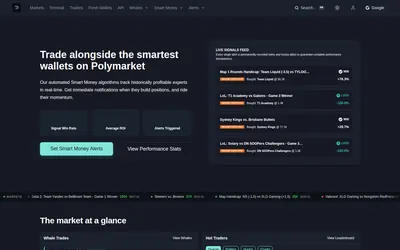

Get price and wallet alerts in Telegram or email, then investigate the move in a trading terminal.
- Trading mode Paper
- Access Web · Telegram · Email
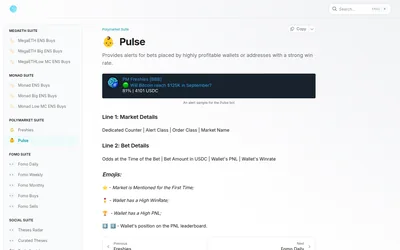
A gated on-chain research suite whose Polymarket tools flag fresh-wallet trades and activity from profitable or high-win-rate accounts.
- Access Telegram
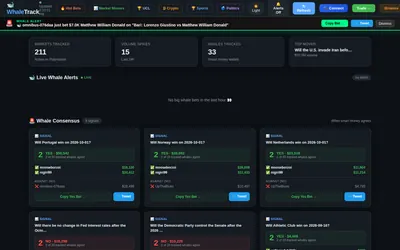
Browse a selected set of whale wallets, compare their market direction and receive paid Telegram alerts for large trades.
- Access Web · Telegram
Frequently asked questions about PolyScope Bot
Can I stop alerts without removing a wallet?
Yes. Pause and resume controls are documented.
How do I make addresses recognizable?
Add a custom label with the wallet.
Is the Free plan unlimited?
No. It includes one wallet, one market and one analysis.