 Polytoolhub
What is PolyRewards?
PolyRewards focuses on liquidity incentives rather than trading PnL. The dashboard ranks wallets by rewards, shows their cumulative history and provides percentile comparisons. Sponsored rewards can be included or isolated, making it easier to understand what drives a wallet’s position in the table.
Who it is for
- Liquidity providers comparing incentive receipts
- Researchers separating rewards from trading performance
- Users preparing a public reward-history card
Features and coverage
- Available on
- Web
- Markets & venues
- Polymarket
- Research topics
- Liquidity rewards, Wallet leaderboards
- Rewards leaderboard
Rank public wallets by accumulated LP rewards.
- Time windows
Compare 24-hour, 7-day, 30-day and all-time totals.
- Cumulative chart
Review rewards over time for a selected wallet.
- Percentile context
Compare top 1%, top 10%, top 1,000 and all-wallet groups.
- Reward-type controls
Include sponsored rewards or show only that component.
- Amount filters
Use preset or custom dollar ranges.
- Share card
Generate an image of the selected wallet’s rewards.
- Venue profile link
Open the associated Polymarket profile.
Workflows with PolyRewards
Compare a liquidity-provider record
Choose a time window, search the wallet and inspect the cumulative chart.
Separate incentive types
Toggle sponsored rewards and compare the wallet’s ranking and total.
Prepare a share image
Select the public wallet and desired card label, then inspect the generated image before sharing.
Pricing and total cost
The public dashboard is accessible without a listed subscription fee.
Getting started
Before you start: Reward receipts are not net trading profit.
- Open the dashboard and choose a time range.
- Search for a public wallet or select a leaderboard entry.
- Review sponsored-reward settings.
- Inspect the historical chart and percentile comparison.
- Use Share if you need an export image.
Useful links
What to check
- Reward receipts are not net trading profit.
- Changing the time window or sponsored-reward filter changes the comparison basis.
- The dashboard is an independent analytics site and does not manage liquidity positions.
A closer look
Ratings & reviews
User reviews 0
The main score switches to user ratings after 5 published reviews.
A specific example helps the next person choose the right tool.
Write a review
How was your experience with PolyRewards?
Share what you used, what worked and what could be better. We confirm your email and review the submission before publishing.
To submit a review, email info@polytradingbot.com with the tool name, your rating and your experience. Enable JavaScript to prepare a draft here.
Related tools
Browse category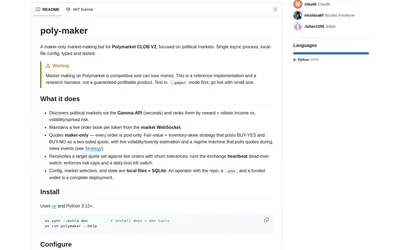
Run a configurable maker-only Polymarket bot with inventory-aware quotes, paper mode, market selection and exposure controls.
- Trading mode Paper · Live automation
- Access CLI
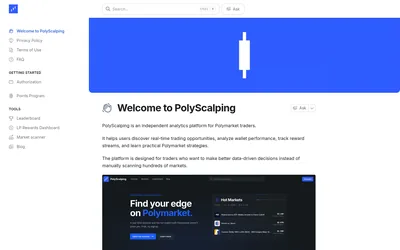

Scan markets, compare trader rankings and separate trading earnings from liquidity rewards.
- Access Web
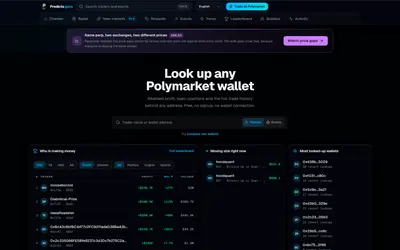
Inspect Polymarket wallets, compare up to ten addresses and research events, new markets and liquidity rewards without registering.
- Access Web
Frequently asked questions about PolyRewards
Does it show trading PnL?
Its focus is LP reward receipts.
Can I isolate sponsored rewards?
Yes. A dedicated toggle is available.
Can I search a wallet?
Yes. The leaderboard supports name/address search.
Can I export a card?
The Share flow generates a reward image.