 Polytoolhub
What is Polymarket.Net?
Polymarket.Net is part of the CryptoExchange.Net client ecosystem. It wraps discovery, market data and account operations in descriptive C# models and provides transport behavior such as reconnection, logging and client-side rate limiting. The current authentication documentation includes Deposit Wallet signing.
Who it is for
- .NET developers building data or execution services
- Teams already using CryptoExchange.Net clients
- Applications maintaining live token books and multiple accounts
Features and coverage
- Available on
- .NET, C#, NuGet, WebSocket
- Markets & venues
- Polymarket
- Typed REST models
Use descriptive response classes and enums.
- Gamma and CLOB access
Discover markets and query their outcome-token books.
- Socket subscriptions
Handle price, book, trade, tick-size and best-bid/ask updates.
- Connection management
Use the library’s reconnect behavior.
- Local order books
Maintain supported book state through the client implementation.
- Account configuration
Manage distinct accounts and signing credentials.
- Runtime support
Target compatible .NET frameworks, including Native AOT use cases.
Workflows with Polymarket.Net
Build a C# market view
Fetch open markets through Gamma, retain their CLOB token IDs and request books through the REST client.
Run a live book service
Subscribe to the selected tokens, process the typed callbacks and monitor reconnection and state recovery.
Add account actions
Choose the correct signature type and funding/deposit address, obtain L2 credentials and inspect the result of each request.
Pricing and total cost
MIT-licensed library distributed through NuGet and repository releases. There is no client subscription; infrastructure and venue charges are separate.
Getting started
Before you start: Signer and deposit/funding addresses have distinct roles.
- Install the Polymarket.Net NuGet package.
- Create a public REST client and fetch a small market set.
- Check Success and Error before reading response data.
- Add socket subscriptions for the required tokens.
- Configure account signing and L2 credentials only for private operations.
- Enable appropriate logging without recording secrets.
Useful links
What to check
- Signer and deposit/funding addresses have distinct roles.
- L1 wallet credentials and L2 API credentials serve different steps.
- Client-side rate limiting does not remove server-side limits.
- An order-book cache needs correct reconnect and resubscription handling.
- A share count multiplied by price determines a limit order’s notional; do not rely on an inconsistent comment in a sample.
A closer look
Ratings & reviews
User reviews 0
The main score switches to user ratings after 5 published reviews.
A specific example helps the next person choose the right tool.
Write a review
How was your experience with Polymarket.Net?
Share what you used, what worked and what could be better. We confirm your email and review the submission before publishing.
To submit a review, email info@polytradingbot.com with the tool name, your rating and your experience. Enable JavaScript to prepare a draft here.
Related tools
Browse category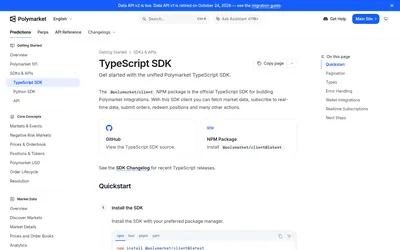

The official TypeScript SDK for public market data, typed pagination, real-time subscriptions and authenticated trading and wallet actions.
- Language TypeScript · JavaScript
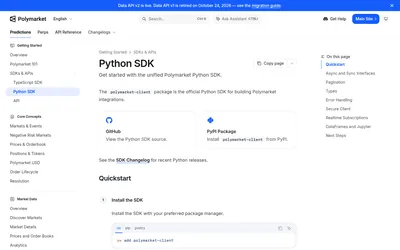

The official Python client for typed Polymarket data, sync or async account workflows, streaming and notebook-friendly analysis.
- Language Python
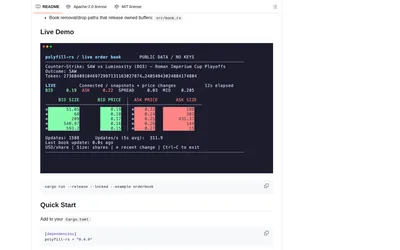
Integrate Polymarket in Rust with typed CLOB requests, optimized book processing and explicit V2 trading support.
- Language Rust
- Access API
Frequently asked questions about Polymarket.Net
How do I install it?
Use the Polymarket.Net NuGet package.
Can it reconnect WebSockets?
Automatic connection management is a documented feature.
Does it support Deposit Wallet signing?
The authentication guide includes Poly1271 with a deposit address.
Can it fit an existing exchange-client stack?
It is built on CryptoExchange.Net and follows that ecosystem’s client patterns.