 Polytoolhub
What is PolyInsider?
PolyInsider combines several ways to notice activity: a large-trade feed, a fresh-wallet feed, trader rankings and headlines matched to markets. Each row connects the market, outcome, execution price, size and trader, so you can move from an unusual trade into its context. A world-intelligence view maps geographically tagged questions onto a globe.
Who it is for
- Researchers following large trades and new wallets
- Users connecting news catalysts with market activity
- Traders who want a visual overview before opening individual markets
Features and coverage
- Available on
- Web
- Markets & venues
- Polymarket
- Research topics
- Whale activity, New wallets, News
- Whale alerts
The documented feed surfaces buy trades above $5,000 and reconciles activity against on-chain positions.
- Fresh-wallet trades
Find buys of at least $500 from wallets making their first recorded Polymarket trade.
- Linked trade tape
Rows include outcome, execution price, size, time and links to the relevant market or trader.
- Trader and market pages
Inspect PnL history, prices and order flow beyond a single alert.
- News matching
Read headlines alongside the prediction markets they relate to.
- World Intelligence
Explore geographically tagged markets on an interactive globe.
- Leaderboard and watchlist
Use rankings to find wallets to investigate and the watchlist area to keep relevant items together.
Workflows with PolyInsider
Investigate a new wallet
Open Fresh Trades, select an entry and compare its size and outcome with the market’s current activity. Check the wallet page before treating one trade as a strategy.
Read a whale buy in context
Start from the alert, inspect the trader and market, then follow the original Polymarket link when you need the venue’s order book.
Connect a headline with trading
Find the related market from News and inspect the recent trade tape to see what activity followed the catalyst.
Pricing and total cost
PolyInsider is free to use. Outbound Polymarket links may contain the service’s referral parameter.
Getting started
Before you start: Fresh Trades uses the wallet’s first recorded trade and excludes crypto Up/Down markets.
- Open the dashboard and choose Whale Alerts, Fresh Trades or News.
- Use the feed’s market and wallet links to inspect a specific entry.
- Compare the execution price with the current market quote.
- Open the leaderboard or geographic view to broaden the research.
- Follow the native market link for venue details and order entry.
Useful links
What to check
- Fresh Trades uses the wallet’s first recorded trade and excludes crypto Up/Down markets.
- The documented whale threshold applies to buy trades above $5,000; the feed is not every market fill.
- A fresh wallet or a large position describes observable activity, not the trader’s access to information.
A closer look
Ratings & reviews
User reviews 0
The main score switches to user ratings after 5 published reviews.
A specific example helps the next person choose the right tool.
Write a review
How was your experience with PolyInsider?
Share what you used, what worked and what could be better. We confirm your email and review the submission before publishing.
To submit a review, email info@polytradingbot.com with the tool name, your rating and your experience. Enable JavaScript to prepare a draft here.
Related tools
Browse category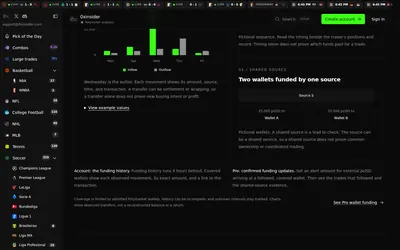

Compare Polymarket sports prices with profitable-wallet positions, inspect trader grades and track large trades through a dashboard or API.
- Access Web · API · MCP
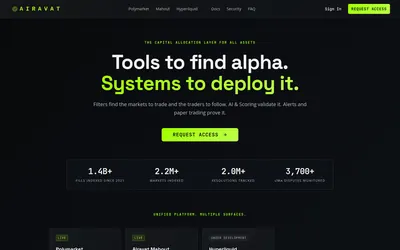

Build trader and market filters, attach alerts, and try position rules with paper-trading pods.
- Access Web
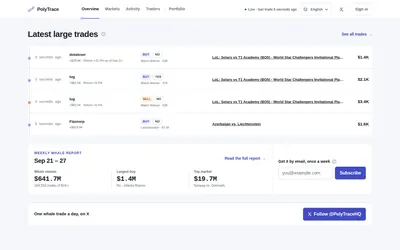

Inspect Polymarket trades of $1,000 or more, the wallets behind them, concentration within whale signals and weekly money-flow reports.
- Access Web · Email
Frequently asked questions about PolyInsider
Is it free?
Yes. The product describes free access supported in part by referral links.
What qualifies as a fresh trade?
A buy of at least $500 from a wallet making its first recorded trade; crypto Up/Down markets are hidden.
Can I place an order here?
Trade links take you to Polymarket.
Is this the Telegram bot called Polymarket Insider?
This card covers the web dashboard at polyinsider.io; similarly named bots are separate records.