 Polytoolhub
What is PolyFund?
PolyFund pools capital under a fund manager’s trading decisions. Each fund moves through Open, Trading and Closed stages. The key decision for a depositor is the combination of manager, mandate, fee terms and lockup: you can withdraw while the fund is Open, but withdrawals are blocked during Trading.
Who it is for
- Users evaluating managed prediction-market strategies
- Managers creating a fund with defined dates and fee terms
Features and coverage
- Available on
- Web
- Markets & venues
- Polymarket
- Fund directory
Filter available funds by stage and deposit conditions; inspect manager, fund value and performance.
- Manager profiles
Compare the manager’s funds and public record.
- Defined lifecycle
Open handles deposits and withdrawals, Trading locks capital for the strategy, and Closed enables redemption.
- Fund creation
Managers set the trading period and permitted fee terms.
- Portfolio view
Track deposits and the funds in which your connected wallet participates.
Workflows with PolyFund
Evaluate a fund before depositing
Open the fund, read its trading dates and mandate, compare the manager’s record and calculate the entry and profit fees. Match the lockup to when you need the capital back.
Track a deposit
Use My Funds to follow the fund’s stage and value. At the end of the trading period, use the fund’s Closed-stage redemption flow.
Pricing and total cost
Fees are set per fund. The documented caps are 3% on deposit and 30% of profits as a performance fee.
Fees and usage costs
- Deposit fee is deducted on entry. At 2%, a $1,000 deposit leaves $980 before other costs.
- Performance fee applies to profitable results at the end of the fund period.
Getting started
Before you start: Capital cannot be withdrawn during Trading.
- Browse the public fund list and open a fund in the Open stage.
- Read the manager, dates, fee percentages and withdrawal rules.
- Connect a compatible wallet and confirm the exact accepted token in the deposit flow.
- Enter the amount and review the transaction before depositing.
Useful links
What to check
- Capital cannot be withdrawn during Trading.
- The manager controls trading decisions, so a restriction on direct withdrawals does not prevent trading losses.
- The interface labels its balance USDC.e; use the exact token required by the current deposit flow.
A closer look
Ratings & reviews
User reviews 0
The main score switches to user ratings after 5 published reviews.
A specific example helps the next person choose the right tool.
Write a review
How was your experience with PolyFund?
Share what you used, what worked and what could be better. We confirm your email and review the submission before publishing.
To submit a review, email info@polytradingbot.com with the tool name, your rating and your experience. Enable JavaScript to prepare a draft here.
Related tools
Browse category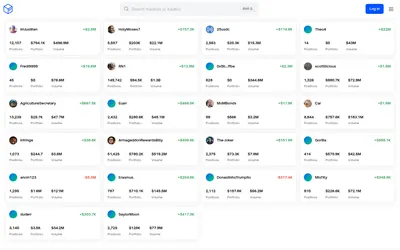

See a trader’s positions and P&L, compare portfolios and export a yearly wallet report.
- Access Web
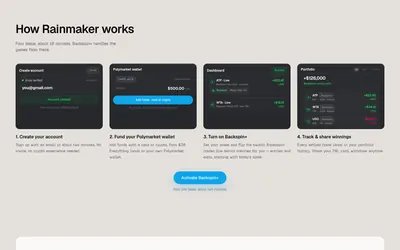

Automate Polymarket tennis strategies with stake limits, managed exits and a portfolio history.
- Trading mode Live automation
- Access Web


Explore tokenized portfolios of prediction-market positions, with community strategies, curated Prime funds and a worldview-to-portfolio interface.
- Access Web
Frequently asked questions about PolyFund
Can I withdraw whenever I want?
Withdrawals are available in Open, blocked during Trading, and replaced by redemption after the fund closes.
Are fees the same for every fund?
No. Managers set them within the documented caps.
Does the manager withdraw my deposit directly?
The documented model separates trading authority from direct withdrawals; the manager can still lose capital through trading.