 Polytoolhub
What is Bravado?
Bravado combines Data, Trade, UMA and Copytrade APIs with a terminal built on the same infrastructure. Its product scope spans observing market and wallet state, executing orders, following resolution and running server-side automation. Builders should choose the relevant surface rather than treating every operation as an equivalent data call.
Who it is for
- Developers building prediction-market terminals
- Teams joining portfolio accounting with execution
- Operators who need hosted strategy services and data infrastructure
Features and coverage
- Available on
- REST API, WebSocket, Web
- Markets & venues
- Polymarket, Predict.fun
- Historical and live data
Query books, best bid/offer, trades and market state, then continue through WebSocket.
- Wallet economics
Inspect positions, P&L, fees, rewards and FIFO cost-basis calculations.
- Trade API
Use the supported managed execution path.
- Resolution integration
Access the separate UMA-oriented product surface.
- Copytrade automation
Run configured server-side strategies.
- Terminal interface
Explore positions, advanced execution and copying in the provider’s frontend.
- Shared integration layer
Reduce separate handling of venue schemas and connection recovery.
Workflows with Bravado
Build a terminal backend
Start with market and account-state reads, add streaming and reconcile fills against the accounting model.
Evaluate hosted automation
Define the strategy and limits, then inspect its server-side state independently from the client connection.
Scope an integration
Test the needed operations with a sandbox key, map their credit costs and enable production credentials after the workflow is configured.
Pricing and total cost
Usage is metered in API credits. The free tier includes 5,000 credits/month, 5 requests/second and one key; paid tiers add capacity and WebSocket access.
Free
$0
- 5,000 credits/month
- 5 requests/second
Build
$49/month
- 100,000 credits/month
- 30 requests/second
- 5 keys
- WebSocket support
Accelerate
$200/month
- 1M credits/month
- 150 requests/second
Scale
$999/month
- 5M credits/month
- 400 requests/second
Fees and usage costs
- Build overage is $8 per 10k credits; Accelerate and Scale list $3 per 10k. Operation credit weights determine actual request cost.
Trial: Annual billing is advertised with a 20% discount.
Getting started
Before you start: One API credit is not necessarily one request; inspect the credit schedule.
- Select the Data, Trade, UMA or Copytrade workflow.
- Create a sandbox key.
- Make a small read request and inspect the shared schema.
- Review operation-specific credit weights.
- Configure account access for execution separately.
- Monitor server-side strategy state and usage when moving to production.
Useful links
What to check
- One API credit is not necessarily one request; inspect the credit schedule.
- Server-side automation can continue when the client is offline.
- Pre-confirmation activity and settled on-chain activity have different states.
- Venue and operation support can differ across the product surfaces.
- Sandbox and production keys serve different environments.
A closer look
Ratings & reviews
User reviews 0
The main score switches to user ratings after 5 published reviews.
A specific example helps the next person choose the right tool.
Write a review
How was your experience with Bravado?
Share what you used, what worked and what could be better. We confirm your email and review the submission before publishing.
To submit a review, email info@polytradingbot.com with the tool name, your rating and your experience. Enable JavaScript to prepare a draft here.
Related tools
Browse category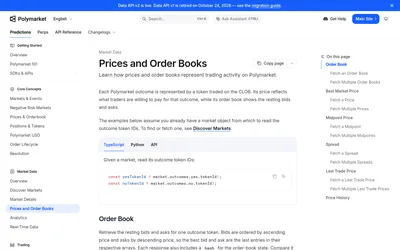

Read Polymarket prices and order books or build authenticated order placement, cancellation and account-order management.
- Data coverage Prices · Order books
- Access API
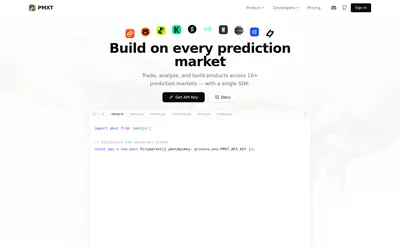

One hosted API key for cross-venue market search, matching, historical data and supported prediction-market trading methods.
- Data coverage Markets · Events · Order books · Prices · Cross-venue matches
- Access API
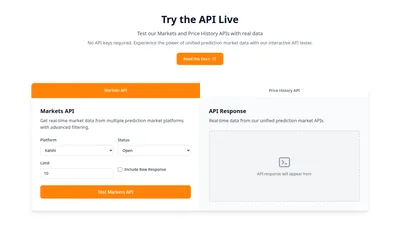

Build with one API for markets, order books, price history and sports data across seven venues.
- Data coverage Markets · Events · Order books · Trades · Prices · Sports events
- Access API · MCP
Frequently asked questions about Bravado
Is Bravado only a data API?
Its product surfaces also include execution, resolution and copy automation.
What continues if my app closes?
Configured server-side strategies can keep running.
Does the free tier include WebSockets?
The pricing page lists WebSocket support on paid tiers.
Why estimate credits per operation?
Different routes can have different weights, so request count alone does not determine usage.